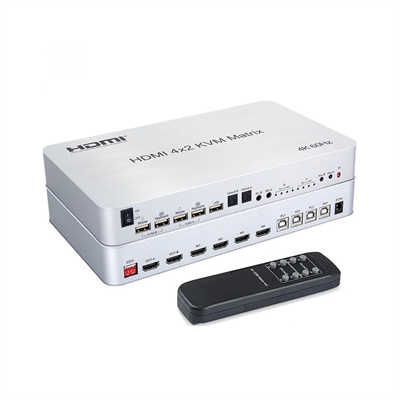
HDMI Matrix for Art Installations and Museums: A Complete Technical Guide
HDMI Matrix for Art Installations and Museums: Signal Distribution, Video Walls, and Immersive Exhibitions
SummaryMuseums and art institutions are deploying HDMI matrix switchers at a growing rate to route 4K and 8K content across multiple displays, video walls, and immersive projection environments. This article examines how matrix technology works in museum contexts, compares it against AV-over-IP alternatives, presents real case studies from Paris, Tokyo, and Washington D.C., and provides practical guidance on bandwidth requirements, HDBaseT extension, EDID management, and bezel correction for video walls.
Introduction
Walk into a contemporary museum gallery today, and you are just as likely to encounter a 64-screen video wall as you are a painting on canvas. Digital art, immersive projection rooms, and interactive installations have become standard features of the modern museum experience. Behind almost every one of these exhibits sits a piece of infrastructure that rarely gets mentioned in the exhibition catalog: the HDMI matrix switcher.
An HDMI matrix is essentially a routing hub. It takes multiple video sources—media servers, playback PCs, cameras, streaming devices—and independently routes any source to any display, without requiring the operator to physically reconnect cables. In a museum, that capability translates directly into operational flexibility. A curator can switch between twelve different artworks on twelve screens on a fifteen-minute cycle without anyone touching a cable. A traveling exhibition can be reconfigured for a new gallery layout in hours rather than days.
The numbers support the shift. In a survey of 300 museum professionals conducted by Barco, flat panel displays accounted for 36.2% of visualization technology in museums, with projectors following at 23.2%. Over half of all visualization hardware in museums is now digital display technology—and every one of those displays needs a signal path. The interactive video wall market, which includes museum applications, is projected to grow from $20.11 billion in 2025 to $34.31 billion by 2030, representing an 11.3% compound annual growth rate. Meanwhile, teamLab’s two Tokyo museum locations alone welcomed more than 4.2 million visitors in 2025, demonstrating the scale at which immersive, screen-driven exhibitions now operate.
What an HDMI Matrix Actually Does in a Museum
The term “matrix” refers to the crosspoint switching architecture. An 8×8 matrix has eight inputs and eight outputs. Any input can be routed to any output, independently, at any time. If Source A needs to appear on Displays 1, 3, and 7 simultaneously, the matrix handles that. If Source B needs to move from Display 2 to Display 6 mid-exhibition, the matrix executes that switch in milliseconds.
This is distinct from a simple HDMI splitter, which duplicates one source to multiple displays but cannot route different sources to different screens. It is also distinct from a video wall controller, although many modern HDMI matrices, such as WyreStorm’s MX-0812-SCL, now integrate video wall processing directly, eliminating the need for a separate controller box. That integration matters in museums, where equipment racks are often tucked into closets or utility spaces and every additional device introduces another point of failure.
The practical benefits for museum AV teams break down into three categories:
Operational flexibility. Exhibitions change. A gallery that hosts a twelve-screen installation in spring might host a six-projector immersive film in summer. A matrix allows the signal architecture to be reconfigured through software rather than rewiring.
Signal management. Museums often run content from multiple sources—archival footage, 4K digital artworks, live camera feeds, interactive kiosks. A matrix centralizes switching and reduces the number of standalone extenders and splitters scattered across the gallery floor.
Silent operation. Museums are quiet spaces. Keeping source devices and matrix hardware in a remote technical room, connected via HDBaseT or fiber, removes fan noise from the visitor-facing environment. In the National Geographic Museum of Exploration’s Photo Ark: Animals of Earth exhibition, PureLink fiber extenders allowed Videlio-HMS to move all loud equipment into a sound-dampened space while still distributing 4K signals to 30 Panasonic projectors and a suite of LG 4K UHD displays.
Bandwidth, Resolution, and the Specifications That Matter
Not all HDMI matrices are equal, and in museum installations the specification sheet carries more weight than in a corporate meeting room. Three numbers matter above all others: bandwidth, chroma subsampling, and HDCP compliance.
Bandwidth is measured in gigabits per second. An 18 Gbps matrix supports HDMI 2.0, which means 4K at 60Hz with 4:4:4 chroma. A 10.2 Gbps matrix supports only 4K at 30Hz with 4:2:0 subsampling, which visibly degrades fine detail and color fidelity—unacceptable for displaying a high-resolution photograph or a fine art scan. When Japan’s XROSS Digital Museum was being designed, the project team discovered that no domestic manufacturer offered a 64×64 HDMI matrix supporting 18 Gbps with non-blocking switching and RGB 4:4:4 specifications. They ultimately selected Lightware’s MX2-48X48-HDMI20-A-R, which met those requirements and supported a 16K LED wall and a 360-degree theater environment.
Chroma subsampling refers to how color information is compressed relative to luminance. 4:4:4 means no compression—every pixel carries full color data. 4:2:0 discards three-quarters of the color information. For art reproduction, where subtle tonal gradations in a painting or a photograph are the entire point, 4:2:0 is not a viable option.
HDCP compliance is the third pillar. Museums display content from Blu-ray players, streaming devices, and media servers, all of which enforce HDCP copy protection. A matrix that lacks HDCP 2.2 or 2.3 support will produce a black screen the moment protected content is routed through it.
| Specification | Minimum for Museum Use | Preferred for Art Reproduction |
|---|---|---|
| Bandwidth | 10.2 Gbps | 18 Gbps or higher |
| Max Resolution | 4K@30Hz | 4K@60Hz 4:4:4 |
| Chroma Subsampling | 4:2:0 | 4:4:4 |
| HDCP | HDCP 1.4 | HDCP 2.3 |
| Switching | Standard relay | Seamless (no blackout) |
| EDID Management | Basic | Per-output EDID |
EDID management deserves a specific mention. Extended Display Identification Data is how a display tells the source what resolutions and formats it supports. In a museum with twelve displays from different manufacturers, each with different native resolutions and color capabilities, EDID conflicts are common. A matrix with per-output EDID management allows the integrator to set each output to a specific resolution, preventing the source from defaulting to the lowest common denominator across all screens.
Case Study: A Paris Art Museum’s Immersive Exhibition
A renowned art museum in Paris needed an AV system to support twelve displays, including two large video walls, for an immersive exhibition showcasing 4K digital artworks and historical footage. The exhibition cycled through artworks every fifteen minutes, requiring reliable switching without glitches.
The integrator deployed a 16×16 HDMI matrix switcher with HDBaseT support. The matrix supported 4K UHD at 60Hz and 3D content, and was programmed to sync with the museum’s exhibition schedule, enabling automatic signal switching every fifteen minutes without manual intervention. HDBaseT transmission over Cat5e/Cat6 cables reduced wiring clutter in the exhibition hall and cut cabling costs by approximately 35% compared to traditional HDMI cabling.
The results were measurable. The exhibition served over 50,000 visitors across a three-month run with zero switching glitches. Museum staff reported that the automatic scheduling freed them from constant AV management, allowing them to focus on visitor experience.
This case illustrates a pattern that appears repeatedly in museum AV projects: the technical requirements are driven less by raw performance than by reliability and operational simplicity. A matrix that delivers flawless 4K is valuable, but a matrix that does so unattended for three months is what makes the exhibition viable.
HDBaseT: The Backbone of Museum Signal Distribution
HDMI cables are impractical for museum installations. A standard HDMI cable reliably carries 4K signals approximately 5 meters. Passive HDMI cables beyond that distance suffer signal degradation. Museums, however, routinely need to send signals 30, 50, or even 100 meters from a technical room to a gallery.
HDBaseT solves this by converting the HDMI signal to a format that travels over standard Cat5e or Cat6 Ethernet cable. HDBaseT 3.0 supports 4K at 60Hz with 4:4:4 chroma up to 100 meters. The cable is thinner, cheaper, and easier to route through existing conduit than HDMI. For the Paris museum, HDBaseT reduced wiring costs by 35% and minimized the visual impact of cable runs in the exhibition space.
The Museum of Polish History in Warsaw deployed an AMX DGX HDBaseT matrix specifically because the client requested a point-to-point system that was “more reliable and uncompressed” than alternative approaches. That preference reflects a broader reality in the museum sector: reliability and signal integrity trump cost savings in institutions where an exhibition failure is a public event, not a private inconvenience.
HDBaseT also carries control signals, Ethernet, and power alongside the video. A single Cat6 cable can power a receiver behind a display, carry the video signal, and transmit RS-232 control commands for display on/off scheduling. In installations where access to displays is restricted—behind glass, inside custom enclosures, or mounted at height—that consolidation of cabling is not just convenient but operationally necessary.
HDMI Matrix vs. AV over IP: Which Approach Fits Which Museum
The AV industry has been debating the relative merits of traditional matrix switching and AV-over-IP for years, and the debate plays out differently in museum contexts than in corporate or education environments.
AV-over-IP converts video and audio into network packets and distributes them over a standard Ethernet network. The principal advantage is scalability. Adding a display to an AV-over-IP system means adding a decoder and a network port. Adding a display to a fixed-port HDMI matrix means upgrading to a larger matrix—a 16×16 becomes a 32×32, and the cost increases accordingly.
For museums planning multi-year, multi-exhibition programs, that scalability can be significant. An institution that knows it will expand from eight displays to twenty over three years may find AV-over-IP more economical in the long run.
However, HDMI matrix switching retains clear advantages in specific museum scenarios:
Fixed, self-contained installations. A single-gallery immersive exhibition with a defined set of sources and displays does not benefit from network-based distribution. A matrix is simpler, lower-latency, and less expensive to deploy. The rule of thumb from AV industry analysis is that once matrixing needs exceed 8×8, AV-over-IP deserves serious consideration—especially if expansion is likely. Below that threshold, a traditional matrix or splitter is often the better answer for cost, deployment speed, and ease of support.
Zero-latency requirements. Some interactive installations respond to visitor movement through cameras or sensors. Any latency introduced by network encoding and decoding can break the illusion of real-time interaction. A matrix switch introduces negligible latency; AV-over-IP introduces at least a frame or two.
Security and network separation. Museum networks often carry ticketing, point-of-sale, and building management systems. Keeping exhibition AV on a physically separate matrix infrastructure avoids the complexity of VLAN configuration and network security review.
Budget predictability. A matrix has a fixed cost. AV-over-IP costs scale with network switches, encoders, decoders, and the labor to configure QoS, multicast, and IGMP snooping. For smaller institutions with limited IT staff, the operational simplicity of a matrix is a genuine advantage. Research on museum technology staffing found that 65.9% of museums do not have enough skilled staff to accomplish their technology activities. A technology that “just works” without ongoing network management has real organizational value.
The most pragmatic position is that the two approaches are not mutually exclusive. A museum might use a fixed HDMI matrix for a permanent collection gallery and AV-over-IP for a temporary exhibition hall that reconfigures every six months.
Video Walls and Bezel Correction
Video walls present a specific challenge that general-purpose matrices handle poorly. When four or nine displays are tiled together to form a single image, the physical bezels between panels create visual discontinuities. A face in a video might be split across two screens, with the nose on one panel and the eyes on another.
Bezel correction (also called bezel compensation) solves this by adjusting the image for each display so that content is not lost behind the bezel edges. The matrix or video wall processor offsets the image on each panel by the width of the adjacent bezel in pixels. Modern HDMI matrices with integrated video wall processing, such as WyreStorm’s MX-0812-SCL, support bezel correction alongside video wall cropping, flexible output grouping, and image rotation up to 270 degrees for vertical signage or creative display arrangements.
For museums installing video walls, the key specification is whether the matrix handles bezel correction internally or requires a separate video wall processor. An integrated solution reduces rack space, cabling, and failure points—three things that matter in installations where equipment access is limited and downtime is unacceptable.
Practical Considerations for Museum Integrators
Several operational factors distinguish museum HDMI matrix deployments from commercial AV projects.
Switching speed. Museum exhibitions often cycle content on a schedule. A matrix with relay-based switching produces a brief blackout during the transition. Seamless switching, which maintains the signal across the switch, is strongly preferred for art display. The Paris museum’s requirement that artworks cycle every fifteen minutes with no visible disruption is a common brief.
Remote monitoring. The National Geographic Museum’s Photo Ark deployment used PureLink’s SX2-8800 8×8 HDMI matrix switchers paired with fiber extenders to bring all exhibit video feeds into one centralized monitoring location. For exhibitions with dozens of sources and displays, the ability to verify signal integrity from a single point is not a luxury—it is a necessity for preventive maintenance.
EDID management per output. When displays have different native resolutions or color capabilities, per-output EDID prevents the source from defaulting to the lowest common denominator. This is particularly important in mixed-technology exhibitions where LED walls, LCD panels, and projectors coexist.
Redundancy for traveling exhibitions. Exhibitions that travel to partner museums need AV infrastructure that can adapt to different layouts. The Photo Ark system was designed with this in mind, using fiber extenders that reduced the amount of cable required and allowed for redundancy in multi-fiber runs. A matrix that supports reconfiguration through software rather than rewiring is essential for touring shows.
Audio routing. Many matrices now support audio de-embedding, allowing the audio track from any HDMI source to be routed independently to an external DSP, amplifier, or PA system. WyreStorm’s MX-0812-SCL includes a 4×4 Dante audio network and four analog outputs, with the ability to route any audio input to any output regardless of video routing. In a museum, this means a gallery could play ambient soundscape audio from one source while displaying silent visuals from another.
FAQ
What is an HDMI matrix used for in a museum?
An HDMI matrix routes video and audio signals from multiple sources to multiple displays. In museums, it allows curators to switch between different artworks, archival footage, or camera feeds across a gallery’s displays without physically reconnecting cables. It is the central switching infrastructure behind video walls, immersive projection rooms, and multi-screen digital exhibitions.
Can an HDMI matrix handle 4K video walls?
Yes, but the matrix must support sufficient bandwidth—18 Gbps for 4K at 60Hz with 4:4:4 chroma—and should include integrated video wall processing with bezel correction. Matrices without bezel correction will produce visible image discontinuities across display bezels.
How far can an HDMI matrix send a 4K signal?
A standard HDMI cable carries 4K reliably for approximately 5 meters. With HDBaseT over Cat6 cable, the signal can travel up to 100 meters at 4K 60Hz 4:4:4. For longer distances, fiber extenders are required.
Is AV-over-IP better than HDMI matrix for museums?
Neither is universally better. AV-over-IP excels when scalability beyond 8×8 is needed or when displays are distributed across a large building. HDMI matrix switching is often more cost-effective, lower-latency, and simpler to support for fixed installations with defined source and display counts. Many museums use both approaches for different gallery types.
What happens if an HDMI matrix lacks HDCP 2.3 support?
Protected content from Blu-ray players, streaming devices, or media servers will produce a black screen. HDCP 2.3 support is essential for any museum displaying commercial content alongside original digital works.
How does EDID management affect museum displays?
Without per-output EDID management, a source connected to displays of different resolutions will default to the lowest common resolution across all screens. In a museum with mixed LED, LCD, and projector displays, this results in degraded image quality on higher-resolution screens.
Can an HDMI matrix be controlled remotely or scheduled?
Yes. Most professional matrices support RS-232, TCP/IP, or web-based control, and can be programmed to switch sources on a schedule. The Paris museum’s matrix was configured to cycle artworks automatically every fifteen minutes, syncing with the exhibition timetable.
📖 Related Featured Articles

Using a 2x2 HDMI Matrix for Dual Monitor Productivity: A Practical Guide
Learn how a 2x2 HDMI matrix switch can streamline your dual monitor workflow. Covers productivity da...

How to Set Up a 4x4 HDMI Matrix for a Home Automation System
Learn how to set up a 4x4 HDMI matrix for your home automation system. This guide covers hardware se...

What Is an HDMI Matrix? The Ultimate Flexibility for Multi-Screen Setups
A complete guide to HDMI matrix switchers: how they work, how they differ from splitters and switche...

HDMI Matrix with HDBaseT: A Complete Guide to Extending AV Signals Over Long Distances
Learn how HDMI matrix switchers with HDBaseT extend uncompressed 4K AV signals up to 100m over Cat6 ...