HDMI Over Long Distance: 5 Proven Ways to Extend 100+ Feet Without Signal Loss
Introduction
You have a 4K source in one room and a display 100 feet away. You run a standard HDMI cable, plug everything in, and… nothing. Or worse — you get a flickering image, random black screens, or that dreaded “No Signal” message.
This isn’t a hardware defect. It’s physics.
Standard copper HDMI cables simply weren’t built for long hauls. The electrical signals degrade over distance, and the higher the resolution, the shorter the reliable range. For HDMI 2.1 (48 Gbps), passive copper is only reliable up to about 3 meters (10 feet). Even HDMI 2.0 (18 Gbps) tops out at 5–8 meters (16–26 feet) before performance drops off. At 1080p, you might push a copper cable to 15–20 meters (50–65 feet), but you’re already gambling with signal integrity.
So what do you do when you need to send HDMI 100 feet or more?
This guide breaks down five reliable solutions for extending HDMI over long distances, complete with performance data, cost comparisons, and real-world use cases. Whether you’re wiring a home theater, outfitting a conference room, or running digital signage, you’ll find the right approach here.
Why Standard HDMI Cables Fail at Long Distances
Before diving into solutions, it helps to understand the problem.
HDMI transmits high-frequency electrical signals through copper wires. As distance increases, three things happen:
- Signal attenuation — The voltage drops, and the signal becomes too weak for the display to interpret reliably.
- Skin effect — High-frequency signals travel on the surface of the copper conductor, increasing resistance and worsening attenuation.
- Electromagnetic interference (EMI) — Long copper cables act like antennas, picking up noise from power lines, Wi-Fi routers, fluorescent lights, and other electronics.
The result? Sparkles, flickering, color shifts, audio dropouts, or complete signal loss.
The numbers tell the story clearly:
| Resolution | Bandwidth | Max Passive Copper Distance |
|---|---|---|
| 1080p | ~3 Gbps | 15–20 meters (50–65 ft) |
| 4K (HDMI 2.0) | 18 Gbps | 5–8 meters (16–26 ft) |
| 8K (HDMI 2.1) | 48 Gbps | ~3 meters (10 ft) |
These aren’t arbitrary limits — they’re physical constraints of electrical transmission. Beyond these distances, you need active solutions.
Solution 1: Active Optical HDMI Cables (AOC)
Best for: Single, permanent cable runs from 50 to 300 feet
Active Optical Cables (AOC) replace the copper conductors inside the HDMI cable with optical fibers. The signal travels as light rather than electricity, which means:
- No signal degradation over distance — full 4K/8K at 100+ meters
- Complete EMI immunity — light isn’t affected by electromagnetic interference
- Thinner, lighter cables — easier to pull through walls and conduits
- Full bandwidth support — 48 Gbps for 8K@60Hz and 4K@120Hz
A 100-foot fiber optic HDMI cable typically costs $120–$180, compared to roughly $165 for an active optical cable solution. For a single point-to-point run, it’s often the cleanest option.
The catch: Fiber optic HDMI cables are directional. One end is marked “Source” and the other “Display”. Install it backward, and you’ll be pulling it out of the wall to flip it around. They’re also more fragile than copper — sharp bends can damage the optical fibers, so they’re best for fixed installations rather than frequent plugging and unplugging.
Real-world performance: Users report successful 4K@60Hz transmission over 100-foot fiber optic cables with “no quality issues” and “no degradation or latency”.
When to choose AOC:
- You need a single, clean cable run
- The cable will be installed permanently (in-wall or conduit)
- You’re running 4K or 8K at high refresh rates
- EMI is a concern (near power lines, industrial equipment, etc.)
Solution 2: HDBaseT Extenders
Best for: Professional installations, 4K@60Hz up to 328 feet, with control signals
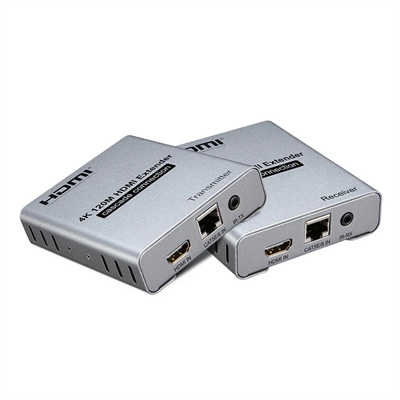
HDBaseT is an industry-standard technology that extends HDMI, USB, IR, RS-232, and Ethernet over a single Cat6a cable. It’s the go-to solution for commercial AV, education, and high-end home theaters.
The specs are impressive:
- Uncompressed True 4K (4096 × 2160 @ 60Hz 4:4:4) up to 100 meters (328 feet)
- 1080p up to 150 meters (492 feet)
- Zero latency — HDBaseT 3.0 adds virtually no delay
- Single-cable simplicity — one Cat6a cable carries video, audio, power, and control signals
- Power over Cable (PoH) — only one end needs a power outlet
Products like the ATEN VE1843A and Monoprice Blackbird HDBaseT 3.0 extenders deliver uncompressed 4K video with HDR, HDR10+, and Dolby Vision support. The Monoprice unit extends uncompressed True 4K HDMI signals up to 100 meters (328 feet) over a single Cat6a cable.
Cost: An HDBaseT extender pair typically costs more than a fiber optic cable, but when you factor in the Cat6 cabling (about $6 for 100 feet) and the ability to run control signals alongside video, it’s often the most cost-effective option for 100+ foot runs, especially when walls are already closed.
Important: HDBaseT requires solid bare copper Cat6 or Cat6a cable. Copper-clad aluminum (CCA) cable will cause intermittent dropouts.
When to choose HDBaseT:
- You need to extend 4K@60Hz beyond 100 feet
- You want to run control signals (IR, RS-232, USB) alongside video
- You have existing Cat6 cabling in place
- You’re installing in a commercial or professional environment
- Zero latency is critical (gaming, live production, KVM)
Solution 3: HDMI Over IP Extenders
Best for: Multiple displays, networked installations, and flexibility
HDMI over IP takes the signal and packetizes it for transmission over a standard Ethernet network. This opens up capabilities that point-to-point solutions can’t match:
- One-to-many — send one source to multiple displays
- Many-to-one — switch between multiple sources on one display
- Network switching — use existing network infrastructure
- Scalability — add more transmitters or receivers as needed
Performance varies significantly by technology:
| Technology | Distance | Latency | Quality |
|---|---|---|---|
| HDBaseT over IP (uncompressed) | 100m | <1ms | Lossless |
| Proprietary codec (650 Mbps) | 100m | 16ms | Visually lossless |
| H.265 compression | 100m+ | 150–220ms | Compressed |
Some HDMI over IP extenders deliver zero-latency, uncompressed 4K@60Hz over standard Gigabit Ethernet. Others use compression to reduce bandwidth, which can introduce latency — 150–220 ms for some 4K@60Hz units. That’s fine for digital signage or presentations but unacceptable for gaming or live video.
Real-world feedback: One user tested a 4K HDMI over IP extender over 100 feet of Cat6 cable and reported “no loss of frames or dead pixels” with response times “in the 10’s of milliseconds”.
When to choose HDMI over IP:
- You need to distribute one source to multiple displays
- You want to switch between multiple sources
- You already have a Gigabit Ethernet network in place
- You need flexibility to expand later
- Latency requirements are modest (not gaming or live production)
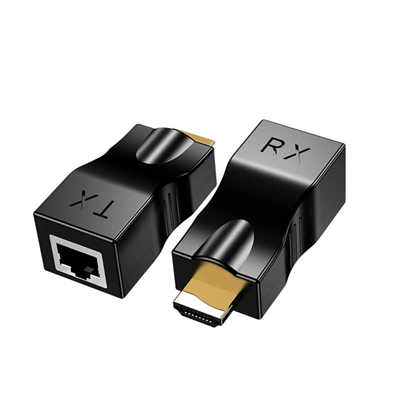
Solution 4: HDMI Over Ethernet Extenders (Point-to-Point)
Best for: Budget-conscious installations, 1080p, or moderate 4K
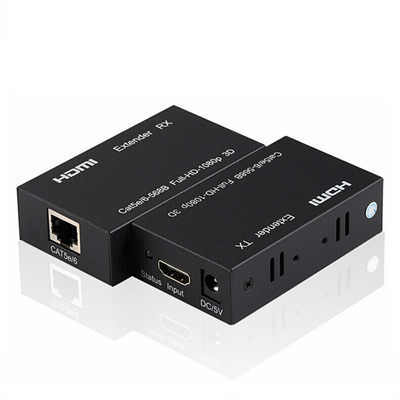
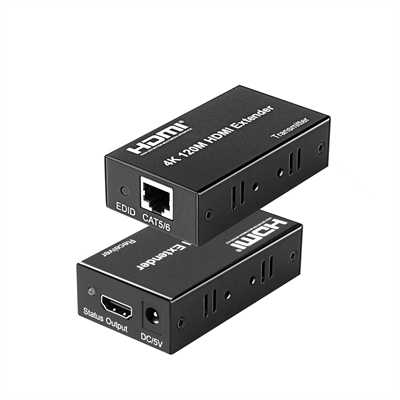
These are simpler than full HDMI over IP systems. A transmitter and receiver pair convert HDMI to a format that travels over a single Cat5e/Cat6 cable, then convert it back at the other end.
Typical performance:
- 1080p@60Hz: up to 165 feet (50 meters) or more
- 4K@30Hz: up to 100–120 feet (30–37 meters)
- 4K@60Hz: shorter distances, typically 70–100 feet
A basic HDMI over Ethernet extender kit can cost as little as $45. For 1080p runs under 150 feet, this is often the most affordable option.
The trade-offs: Unlike HDBaseT, these simpler extenders often don’t carry control signals (IR, RS-232) or USB. They may also use compression that introduces slight latency or quality loss at 4K.
When to choose point-to-point Ethernet extenders:
- Budget is a primary concern
- You only need 1080p or modest 4K@30Hz
- The run is under 150 feet
- You don’t need control signals or USB extension
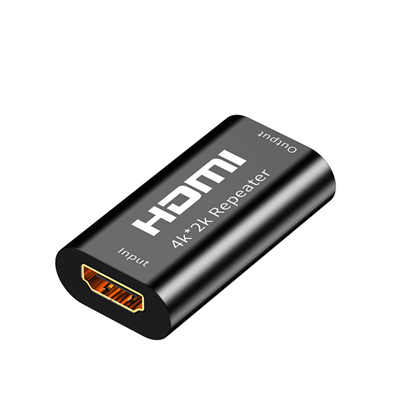
Solution 5: HDMI Signal Boosters / Repeaters
Best for: Extending an existing HDMI cable by 50–100 feet
An inline HDMI repeater takes the incoming signal, cleans it up, and retransmits it with renewed strength. It’s the simplest solution — just plug it in between two HDMI cables.
Performance:
- Some boosters extend HDMI 1.3 signals up to 100 feet (30 meters)
- HDMI 1.2 can reach 200 feet (60 meters) with a booster
- Active equalizer repeaters can extend signals “up to 100FT”
The limitation: Repeaters don’t solve the fundamental problem of copper’s distance limits. They just push the signal a bit further. For runs beyond 100 feet, you’re better off with fiber or HDBaseT.
When to choose a signal booster:
- You already have an HDMI cable in place and just need a little more distance
- You’re working with 1080p (not 4K)
- You want the simplest possible solution
Comparison Table: Which Solution Is Right for You?
| Solution | Max Distance (4K) | Latency | Cost (100ft) | Best For |
|---|---|---|---|---|
| Passive Copper HDMI | ~25 ft | <1ms | $20–50 | Short runs only — not viable at 100ft |
| Active Optical (AOC) | 300+ ft | <1ms | $120–180 | Single permanent cable runs |
| HDBaseT Extender | 328 ft (100m) | <1ms | Extender pair + $6 Cat6 | Professional AV, control signals |
| HDMI over IP | 100–390 ft | 16–220ms | $100–300+ | Multiple displays, networking |
| Ethernet Extender (P2P) | 100–165 ft | <50ms | $45–150 | Budget 1080p runs |
| Signal Booster | 100–200 ft | <1ms | $10–50 | Extending existing cables |
Installation Tips for Long HDMI Runs
1. Test Before You Pull
Before running cable through walls, ceilings, or conduits, connect everything on the bench. Confirm the extender or cable works with your specific source and display. HDMI handshakes (HDCP) can be finicky — every device in the chain must support HDCP 2.2 for protected 4K content.
2. Use Quality Cable
For HDBaseT and Ethernet extenders, use solid bare copper Cat6 or Cat6a. Copper-clad aluminum (CCA) is cheaper but causes intermittent failures. For fiber optic HDMI, check the direction arrows before installation.
3. Consider Power
Some extenders require power at both ends. HDBaseT with Power over Cable (PoH) simplifies installation by delivering power through the Ethernet cable — only one end needs an outlet.
4. Plan for EMI
If you’re running cables near power lines, motors, or other sources of electromagnetic interference, fiber optic cables are completely immune. Copper-based solutions may require shielded cables.
5. Future-Proof
If you’re installing for the long haul, consider HDMI 2.1 support. Fiber optic HDMI cables maintain full 48 Gbps across 30–100 meter runs, essential for future 8K or 4K@120Hz setups.
Frequently Asked Questions
Q: Can I just use a really long HDMI cable?
A: For 4K, no. Passive copper HDMI 2.1 cables are only reliable to about 3 meters (10 feet). Even HDMI 2.0 tops out at 5–8 meters. At 100 feet, you need an active solution — fiber optic, HDBaseT, or an extender.
Q: Does extending HDMI add latency?
A: It depends on the technology. Fiber optic HDMI and HDBaseT add virtually zero latency — we’re talking microseconds. HDMI over IP can add 16–220 ms depending on the compression used. For gaming or live video, stick with fiber or HDBaseT.
Q: What’s cheaper — fiber optic HDMI or HDBaseT?
A: For a single 100-foot run, fiber optic HDMI is typically cheaper ($120–180) than an HDBaseT extender pair. But if you already have Cat6 cabling in the walls, HDBaseT becomes very cost-effective — just the extender pair plus about $6 for cable.
Q: Can I extend HDMI over existing network cabling?
A: Yes, with HDMI over IP extenders. They can run over your existing Gigabit Ethernet network. HDBaseT also uses Cat6 cable but typically requires a direct point-to-point connection, not a switched network.
Q: Will a long HDMI run affect picture quality?
A: With the right solution, no. Fiber optic HDMI maintains full signal integrity at 100+ meters. HDBaseT 3.0 delivers uncompressed 4K with zero quality loss. The key is choosing the right technology for your distance and resolution.
Q: Do fiber optic HDMI cables support eARC and HDR?
A: Yes. Quality fiber optic HDMI 2.1 cables support all HDMI 2.1 features including eARC, VRR, ALLM, HDR10+, and Dolby Vision.
Final Thoughts
Extending HDMI over 100 feet isn’t complicated once you understand the options. The choice comes down to three questions:
-
What resolution and refresh rate do you need? 4K@60Hz requires more bandwidth than 1080p. 8K or 4K@120Hz demands even more.
-
What’s your installation environment? New construction with open walls? Existing cabling? Network infrastructure already in place?
-
What’s your budget? Fiber optic HDMI is the simplest single-run solution. HDBaseT offers the most professional feature set. HDMI over IP provides the most flexibility for multiple displays.
For most 100+ foot installations, the recommendation is clear:
- Single run, permanent install: Fiber optic HDMI (AOC)
- Professional AV with control signals: HDBaseT extender
- Multiple displays or networked setup: HDMI over IP
- Budget 1080p run: Point-to-point Ethernet extender
Choose the right tool for your specific needs, and you’ll enjoy reliable, high-quality HDMI extension at any distance.
📖 Related Featured Articles

HDMI Over Ethernet vs. Wireless: Which Is More Reliable?
Wired or wireless for long-distance HDMI? We compare HDMI over Ethernet vs. wireless HDMI on latency...

HDMI Over CAT5 vs. CAT6: Does the Cable Category Matter?
Does CAT6 actually outperform CAT5 for HDMI extension? We break down the distance limits, bandwidth ...

HDMI KVM Extenders: The Complete Guide to Controlling Your PC from Hundreds of Feet Away
Learn how HDMI KVM extenders let you control a PC from hundreds of feet away with zero latency, 4K v...

Wireless HDMI Extender: Is It Worth It?
Is a wireless HDMI extender worth the investment in? We analyze latency, range, interference, pricin...