HDMI Over Ethernet vs. Wireless: Which Is More Reliable?
Introduction
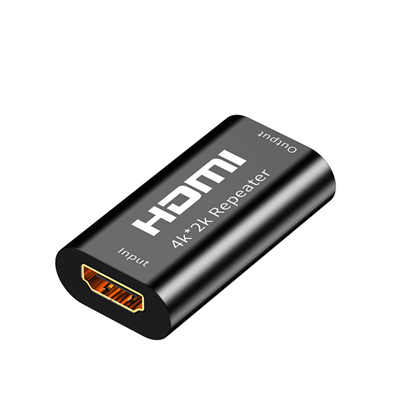
Long-distance HDMI extension is one of those problems that looks simple on paper but gets complicated fast. You need a display 50 feet away—or 150 feet, or in another room entirely—and a standard HDMI cable won’t cut it. Past about 25 to 50 feet, signal degradation, flickering, and HDCP handshake failures start creeping in. So you turn to an extender. But which flavor?
HDMI over Ethernet and wireless HDMI are the two most common alternatives, and they couldn’t be more different in how they handle the job. One runs signal through copper or fiber; the other beams it through the air. Both claim to solve the distance problem, but reliability is where the conversation gets interesting—and where the marketing often glosses over the trade-offs.
So which one is actually more reliable? Let’s break it down with real numbers, real-world scenarios, and a healthy dose of skepticism about what “reliable” even means.
How Each Technology Actually Works
Before we compare reliability, we need to understand what’s happening under the hood.
HDMI Over Ethernet
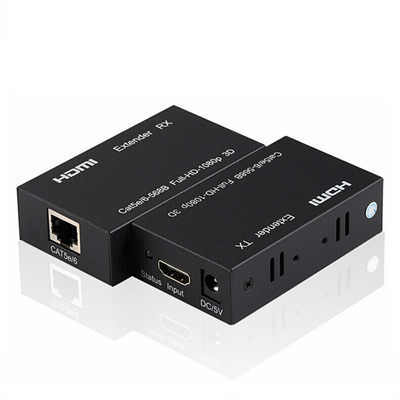
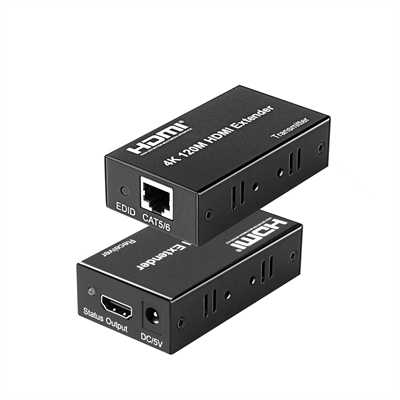
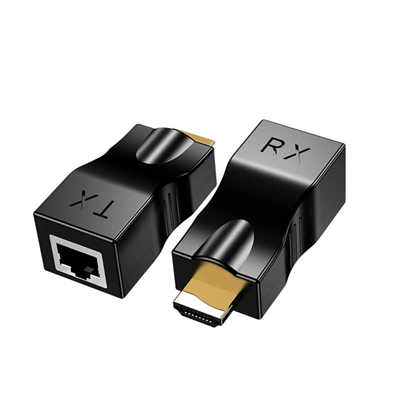
HDMI over Ethernet comes in two main flavors. The first is point-to-point extension, where a transmitter and receiver pair send HDMI signals directly through a single Cat5e, Cat6, or Cat6A cable. This is the simpler, more common approach for most home and office setups.
The second is HDMI over IP—sometimes called AV over IP—which encodes video for network-style distribution and can work with managed switches for multi-room or multi-display systems. This is more common in commercial AV, digital signage, and campus-wide installations.
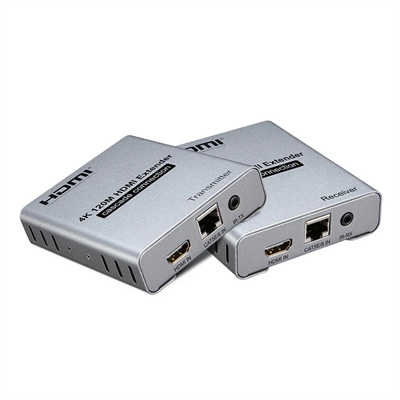
Then there’s HDBaseT, which is essentially the gold standard for professional wired extension. It uses the same Cat cables but delivers near-zero latency, bidirectional control (IR, RS-232, Ethernet), and power over the same cable. Many people lump HDBaseT under “HDMI over Ethernet,” and for good reason—it runs on the same physical infrastructure.
Wireless HDMI
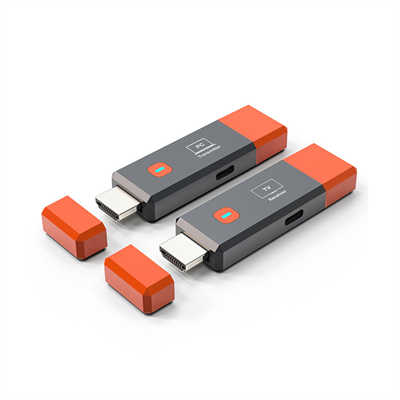
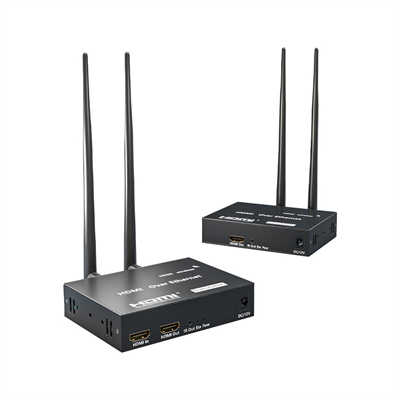
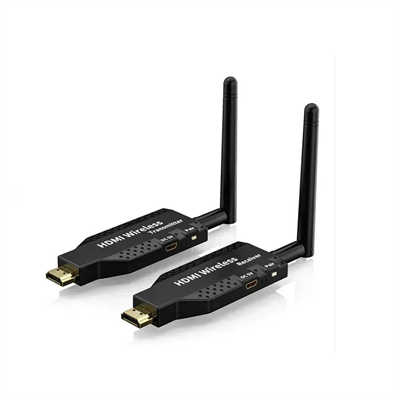
Wireless HDMI removes the cable entirely. A transmitter connects to the source, a receiver connects to the display, and the signal travels through the air—typically using 5 GHz or 60 GHz technology, depending on the system. Some consumer-grade units use 2.4 GHz as well, though that band is increasingly congested.
The 60 GHz variants (like those using WirelessHD or WiGig) offer higher bandwidth and lower latency but have a catch: they’re essentially line-of-sight only. Put a wall between the transmitter and receiver, and the signal drops dramatically. The 5 GHz variants penetrate walls better but face more interference from Wi-Fi networks, Bluetooth devices, and even microwave ovens.
The Reliability Question: What Are We Actually Measuring?
Reliability in HDMI extension isn’t one thing—it’s several. For a professional installation or a critical home theater setup, reliability means:
- Consistent signal—no dropouts, no flickering
- Predictable latency—not just low, but stable
- Interference immunity—the system works regardless of what else is happening in the room
- Long-term durability—it keeps working after months or years
- Troubleshootability—when something breaks, you can find and fix it
By these measures, wired and wireless solutions diverge sharply.
Latency: Where the Numbers Tell the Story
Latency is the most quantifiable reliability metric, and the gap between wired and wireless is substantial.
Wired Latency
A direct HDMI cable adds effectively zero latency—we’re talking sub-millisecond. HDBaseT extenders deliver <1 ms latency, which is functionally instantaneous for any practical purpose. Some high-end AV-over-IP systems using advanced chipsets can achieve under 0.1 ms over 100 meters of Cat cable.
Even more affordable HDMI-over-Ethernet extenders typically fall in the 16–33 ms range for 4K@60Hz. For reference, 16 ms is roughly one frame at 60 fps—imperceptible to most users.
Wireless Latency
Wireless is a different story. The numbers vary wildly depending on the technology and the environment.
High-end 60 GHz wireless HDMI systems can achieve impressively low latency—some as low as 2.5 ms or even sub-1 ms in professional broadcast gear. But these are expensive, line-of-sight systems that don’t tolerate obstacles well.
Consumer-grade wireless HDMI, on the other hand, often runs in the 50–120 ms range. Some budget units push 300–500 ms end-to-end, which makes them completely unusable for gaming or interactive applications. One real-world test of a 1080p HDMI-over-IP extender measured 80–120 ms of latency with frame rate fluctuations of ±3 frames.
The critical point isn’t just the number—it’s the variability. Wired latency is stable. Wireless latency fluctuates with signal strength, interference, and network congestion. That inconsistency is often more disruptive than a slightly higher but steady delay.
Signal Stability: The Cable Wins, Every Time
A wired HDMI-over-Ethernet setup follows a tested, physical path. It’s unaffected by foot traffic, nearby Wi-Fi activity, metal furniture, concrete walls, equipment racks, or room layout changes. For meetings, retail displays, training rooms, live monitoring, and public information screens, that predictability is non-negotiable.
Wireless HDMI can work well in open rooms with a clear signal path, but performance drops when the signal passes through dense walls, tinted glass, metal studs, AV cabinets, or multiple floors. And here’s the kicker: wireless conditions change during the day as more devices connect nearby. A setup that works perfectly at 9 AM might start stuttering at noon when the office Wi-Fi gets busy.
Real-world user reports bear this out. One AVForums user running HDMI over Ethernet via Cat6 to three TVs in a pub reported intermittent dropouts on two screens—but the wired nature of the system meant they could troubleshoot systematically: try different resolutions, check connections, replace the transmitter. With wireless, troubleshooting is often a guessing game.
Another user put it bluntly: “Wireless is highly unreliable and unstable” for professional applications, while “HDMI over Ethernet works perfectly”.
Interference: The Invisible Enemy
Wireless HDMI operates in shared spectrum. The 5 GHz band is also used by Wi-Fi, radar, and countless other devices. The 2.4 GHz band is even more congested. Even 60 GHz, despite being less crowded, suffers from severe attenuation—a single wall can cut range by 50% or more.
Academic research confirms the challenge. Wireless video links require “reliability well in excess of 99%” to be acceptable, and they must provide “robustness toward packet errors and interference”. That’s a high bar, and consumer-grade gear doesn’t always clear it.
Wired systems, by contrast, are immune to RF interference. The signal travels through copper or fiber, period. No interference, no congestion, no dropped packets from a neighbor’s microwave.
Distance and Range: Wired Goes Farther
Standard HDMI cables start degrading beyond 25–50 feet. HDMI over Ethernet extenders routinely handle 100 meters (328 feet) or more. HDBaseT systems can push 4K video up to 100 meters on a single Cat6 cable, and some extenders reach 150 meters or beyond.
Wireless HDMI ranges are more optimistic than reality. A “100-foot” rating is typically based on open-space testing, not a real room with walls and interference. In practice, consumer wireless HDMI works reliably at 30–50 feet in typical home environments, and performance drops off quickly beyond that.
For long runs—say, from a server room to a display across a warehouse floor—wired is the only practical choice.
Installation and Maintenance: Trade-offs
Wireless HDMI wins on installation speed. No cables to run, no walls to drill, no termination to mess up. Plug in the transmitter, plug in the receiver, and you’re done. For temporary setups, rental spaces, or situations where running cable is impractical, that’s a huge advantage.
But the maintenance story flips. A wired path can be measured, labeled, tested, and serviced. If a wired system fails, you can trace the cable, test continuity, check terminations, and isolate the problem. With wireless, you’re left guessing: is it interference? Distance? A failing transmitter? A firmware bug? The room environment becomes part of the system, and that makes troubleshooting a nightmare.
Cost and Value
Wireless HDMI looks cheaper upfront—basic kits start around $50–$100. But for 4K support, reliable range, and low latency, prices climb quickly. Professional wireless HDMI systems can run $500–$1,000 or more.
HDMI-over-Ethernet kits range from $100 for basic 1080p extenders to $300–$500 for 4K HDBaseT systems. The value proposition is different: you’re paying for infrastructure that, once installed, works indefinitely. No batteries, no firmware updates, no interference to chase.
And for equivalent quality—especially 4K 120Hz with HDR—wired solutions are still more cost-effective.
Real-World Recommendations
Choose HDMI Over Ethernet When:
- Reliability is critical—conference rooms, classrooms, houses of worship, live monitoring, digital signage
- Distance exceeds 50 feet—especially over 100 feet
- Low and predictable latency matters—gaming, KVM use, interactive displays, camera monitoring
- The environment is crowded—offices, apartments, venues with many wireless devices
- You want to troubleshoot—when something breaks, you need to know why
- Permanent installation—once it’s in, you want it to stay in
Choose Wireless HDMI When:
- Running cable is impossible—rental spaces, historic buildings, temporary setups
- The space is open—line-of-sight or near-line-of-sight with minimal obstacles
- Distance is moderate—under 50 feet in typical conditions
- Occasional signal changes are acceptable—casual viewing, presentations where a brief glitch isn’t catastrophic
- Portability matters—moving between rooms or venues
The Bottom Line
HDMI over Ethernet is more reliable than wireless HDMI by almost every measurable metric: latency, stability, interference immunity, distance, and long-term durability. The only areas where wireless wins are installation speed and portability.
That doesn’t mean wireless is bad—it’s genuinely useful in the right context. But if you’re asking which one is more reliable, the answer is clear. A cable is a cable. It doesn’t care about your neighbor’s Wi-Fi, it doesn’t drop frames when someone walks between the transmitter and receiver, and it doesn’t need to renegotiate its connection every time the microwave turns on.
As one industry observer put it: “Wired transmission is the gold standard for permanent installations. It offers guaranteed bandwidth”. Wireless is getting better, and 60 GHz systems are closing the gap, but they’re not there yet for mission-critical applications.
For now, if reliability matters—really matters—run the cable.
Frequently Asked Questions
Q: Can wireless HDMI support 4K at 60Hz reliably?
A: Some high-end 60 GHz systems can, but only in line-of-sight conditions. Consumer-grade 5 GHz systems often struggle with 4K@60Hz and may use compression that affects quality.
Q: What’s the maximum distance for HDMI over Ethernet?
A: Typical extenders reach 100 meters (328 feet) with Cat6 cable. Some HDBaseT systems reach 150 meters at 1080p, and fiber-based systems can go much farther.
Q: Does HDMI over Ethernet add latency?
A: Yes, but typically very little—16–33 ms for most 4K extenders, and under 1 ms for HDBaseT systems. That’s imperceptible for virtually all applications.
Q: Can I use existing in-wall Ethernet cabling for HDMI over Ethernet?
A: Yes, provided the cabling is Cat5e or better and the run doesn’t exceed the extender’s rated distance. This is one of the biggest advantages—repurposing existing infrastructure.
Q: Why does my wireless HDMI keep dropping out?
A: Most likely interference or obstacles. Wireless HDMI is sensitive to walls, metal objects, and other devices operating in the same frequency band. Try repositioning the transmitter and receiver for a clearer line of sight.
Q: Is HDBaseT the same as HDMI over Ethernet?
A: Not exactly. HDBaseT is a specific standard that runs over Cat cable and offers additional features like power delivery and control signals. It’s a subset of what people commonly call “HDMI over Ethernet” and is generally more reliable than generic HDMI-over-IP solutions.
📖 Related Featured Articles

HDMI Over Long Distance: 5 Proven Ways to Extend 100+ Feet Without Signal Loss
Standard HDMI cables fail beyond 25 feet for 4K. Learn 5 proven ways to extend HDMI over 100+ feet —...

Wireless HDMI Extender: Is It Worth It?
Is a wireless HDMI extender worth the investment in? We analyze latency, range, interference, pricin...

HDMI Cable Length Limitations: How Far Can You Really Go? - WinFitin
Understand the physical limits of copper vs. fiber HDMI cables. Learn the maximum reliable distance ...

HDMI Over CAT5 vs. CAT6: Does the Cable Category Matter?
Does CAT6 actually outperform CAT5 for HDMI extension? We break down the distance limits, bandwidth ...