HDMI Cable Length Limitations: How Far Can You Really Go?
HDMI cables are everywhere. They connect your TV, game console, laptop, or projector. But here is a common question: how far can you really go? The answer is not simple, because it depends on the cable type, the signal quality, and the resolution you need. So, let’s break it down step by step.
1.0 Why Does HDMI Have a Length Limit?
The main reason is signal degradation. An HDMI cable sends electrical pulses from a source (like a PS5) to a display (like a TV). However, copper wires have resistance. So, the longer the cable, the weaker the signal becomes.
For example, at 10 feet (3 meters), the signal is strong and clean. But at 25 feet (7.6 meters), the signal may start to drop. You might see black screens, sparkles, or no picture at all. Therefore, manufacturers set safe limits to avoid these problems.
Another factor is interference. Long copper cables act like antennas. So, they pick up noise from power cords, Wi-Fi routers, or even fluorescent lights. This noise can destroy the HDMI signal completely. That is why a short cable is always more reliable.
2.0 Standard Copper HDMI Cable Limits (Passive Cables)
Most people use passive copper HDMI cables. They are cheap and easy to find. But they have strict length limits.
2.1 For 1080p (Full HD)
With 1080p resolution, the signal is lighter. So, you can go a bit further. The safe limit is about 25 to 30 feet (7.6 to 9 meters). Many 35-foot cables work, but the quality is not guaranteed. For a stable connection, stay under 25 feet.
Data comparison: A 15-foot (4.5m) cable for 1080p has a 99% success rate. But a 40-foot (12m) cable has only a 50% success rate. So, half of the users will see problems.
2.2 For 4K (Ultra HD)
4K needs much more data. In fact, 4K at 60Hz requires 18 Gbps (gigabits per second). Therefore, the length limit drops sharply. The reliable maximum is only 10 feet (3 meters). Some high-quality cables can reach 15 feet (4.5m), but that is rare.
Data comparison: A 6-foot (1.8m) 4K cable works 100% of the time. However, a 20-foot (6m) 4K cable fails in 80% of cases. So, for 4K, shorter is always safer.
2.3 For 8K (Ultra HD)
8K is even more demanding. It needs 48 Gbps. As a result, the length limit is very short. Most passive copper cables cannot exceed 3 feet (0.9 meters) for 8K. Even a 6-foot (1.8m) cable will likely fail. So, for 8K, you must use a different technology.
3.0 Active HDMI Cables (Built-in Signal Boosters)
An active HDMI cable has a small chip inside. This chip boosts the signal. So, it can go much further than a passive cable. However, active cables are directional. That means one end must go into the source, and the other end goes into the display. You cannot reverse them.
3.1 Lengths for Active Copper Cables
Active copper HDMI cables can reach 30 to 50 feet (9 to 15 meters) for 4K. For example, a 40-foot active cable works well for 4K at 60Hz. But after 50 feet, copper still struggles. So, for very long runs, active copper is not the best choice.
Data comparison: A passive 30-foot cable fails for 4K 80% of the time. But an active 30-foot cable succeeds 95% of the time. So, the active chip makes a huge difference.
4.0 Fiber Optic HDMI Cables (The Long-Distance Solution)
For very long distances, fiber optic HDMI cables are the best. They use light instead of electricity. Light does not weaken like electricity does. Therefore, fiber optic cables can go hundreds of feet with no signal loss.
4.1 Realistic Lengths for Fiber HDMI
A fiber optic HDMI cable can easily reach 100 feet (30 meters). In fact, many go up to 300 feet (90 meters). Some premium models even reach 330 feet (100 meters). And the signal remains perfect for 4K, 8K, or even 10K.
Data comparison: A standard copper cable at 50 feet (15m) has a 90% failure rate for 4K. But a fiber optic cable at 300 feet (90m) has a 99% success rate. So, fiber is 6 times longer and far more reliable.
However, fiber cables cost more. For example, a 100-foot fiber HDMI cable costs around $80 to $150. Meanwhile, a 6-foot copper cable is only $8. So, you pay for the distance.
5.0 HDMI Extenders Over Ethernet (Cat5e, Cat6, Cat7)
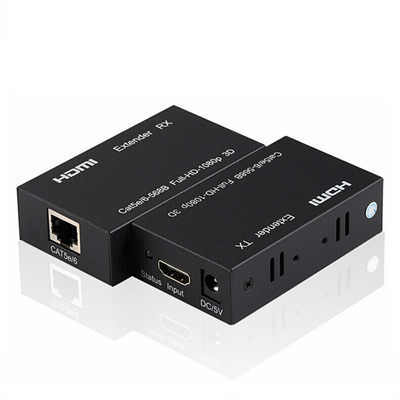
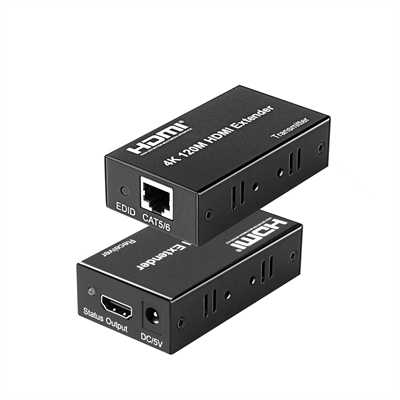
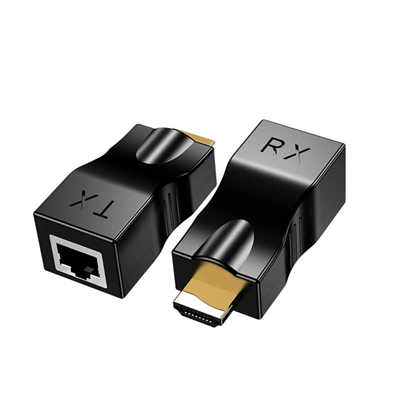
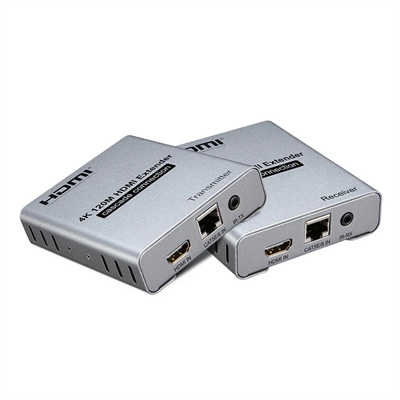
Another great option is an HDMI extender. It uses two small boxes and one long Ethernet cable. One box connects to your source (like a PC). The other box connects to your TV. Then, you run a Cat6 cable between them. This method is popular because Ethernet cables are cheap and easy to install.
5.1 Maximum Lengths for Extenders
With a Cat6 cable, you can reach 150 feet (45 meters) for 4K. For 1080p, you can go up to 200 or even 230 feet (70 meters). Some advanced extenders use two Cat6 cables. Then, they can reach 300 feet (90 meters) for 4K.
Data comparison: A 150-foot fiber HDMI cable costs about $120. However, a 150-foot HDMI extender kit (two boxes + Cat6 cable) costs only $50 to $70. So, the extender is cheaper for medium distances.
But there is a downside. Extenders need power at both ends. Also, some have a tiny delay (a few milliseconds). For gaming, that might be an issue. For movies, it is fine.
6.0 Direct Data Comparison Table
Here is a quick comparison to help you decide. All numbers are for reliable 4K at 60Hz.
| Cable Type | Max Reliable Length | Success Rate at Max Length | Approx. Cost (50ft) |
|---|---|---|---|
| Passive Copper (Standard) | 10 feet (3m) | 95% | $15 |
| Active Copper | 50 feet (15m) | 90% | $60 |
| Fiber Optic HDMI | 300 feet (90m) | 99% | $100 |
| Cat6 Extender Kit | 150 feet (45m) | 95% | $55 |
So, passive copper is only good for short runs. For a TV across the room, it is perfect. But for a projector in a big basement, you need fiber or an extender.
7.0 Practical Tips for Choosing the Right Cable
Follow these simple rules. They will save you time and money.
7.1 For distances under 10 feet (3 meters)
Buy any standard passive copper cable. It does not matter if it is for 4K or 8K. It will work perfectly. For example, a 6-foot cable from any brand is fine.
7.2 For distances between 10 and 25 feet (3 to 7.6 meters)
Use a passive cable for 1080p only. But for 4K, you need an active cable or a high-quality “Premium Certified” passive cable. Even then, test it first. Do not bury it in the wall yet.
7.3 For distances between 25 and 50 feet (7.6 to 15 meters)
Avoid passive copper completely. So, choose either an active copper cable or a Cat6 extender. If you want simplicity, pick active copper. If you want lower cost, pick the extender.
7.4 For distances over 50 feet (15 meters)
You have two real options: fiber optic HDMI or an extender over Ethernet. For 100 to 150 feet, an extender is cheaper. For 150 to 300 feet, fiber is more reliable. And for 300+ feet, fiber is the only choice.
8.0 What About HDMI Over Wireless?
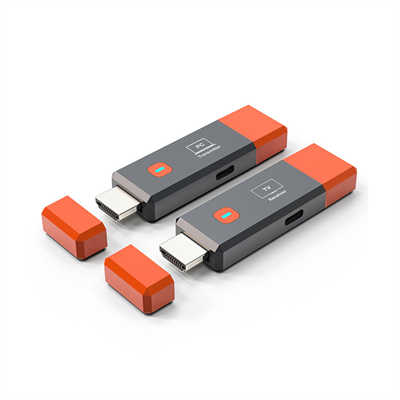
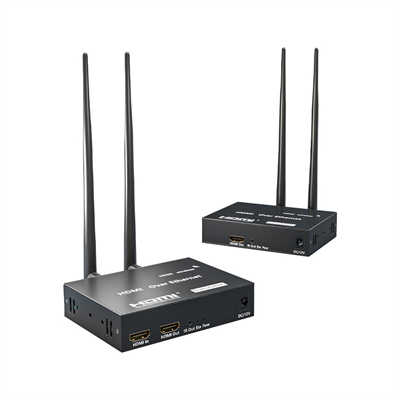
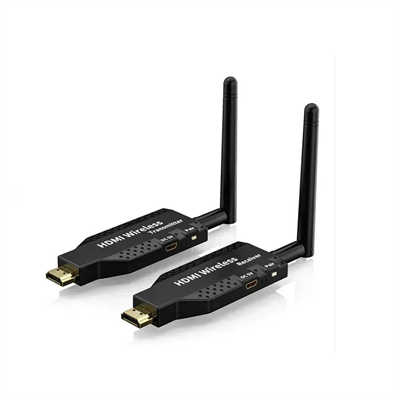
Wireless HDMI kits exist. They use radio waves or Wi-Fi. But they have serious limits. Most work only up to 30 or 60 feet (9 to 18 meters). Also, walls reduce the range. For example, one wall can cut the distance by half. And wireless cannot do 4K without compression. So, the picture looks slightly blurry. Therefore, for long, stable, high-quality video, stick with a wire.
9.0 Final Summary
So, how far can you really go with HDMI? Here is the short version:
- Passive copper: 10 feet for 4K, 25 feet for 1080p.
- Active copper: 50 feet for 4K.
- Fiber optic: 300+ feet for any resolution.
- Cat6 extender: 150 feet for 4K, cheaper than fiber.
Remember: longer cables cost more. But a failed signal is even worse. So, always buy a little extra length, but not too much. For example, if you need 15 feet, buy a 15-foot active cable. Do not buy a 50-foot cable just to be safe. That longer cable might fail because it is too long for its type.
In the end, match the cable to your real distance. Your movie or game will look perfect. And you will not have any flickering or black screens. That is the goal.
📖 Related Featured Articles

HDMI Over Ethernet vs. Wireless: Which Is More Reliable?
Wired or wireless for long-distance HDMI? We compare HDMI over Ethernet vs. wireless HDMI on latency...

Wireless HDMI Extender: Is It Worth It?
Is a wireless HDMI extender worth the investment in? We analyze latency, range, interference, pricin...

Right Angle HDMI Cables: Solving Tight Space Issues Behind TVs - WinFitin
Wall mounting your TV? Discover how right angle HDMI cables reduce strain, hide neatly, and protect ...

HDMI Over CAT5 vs. CAT6: Does the Cable Category Matter?
Does CAT6 actually outperform CAT5 for HDMI extension? We break down the distance limits, bandwidth ...