Can You Use a VGA CRT for Modern Gaming? Absolutely, and Here’s Why
Abstract
While LCD and OLED panels dominate the modern gaming landscape, the VGA CRT (Cathode Ray Tube) monitor remains a surprisingly viable—and in some respects, superior—option for contemporary gaming. This article dives into the technical advantages of CRTs, including near-zero motion blur, undemanding native resolutions, and flexible refresh rates. Backed by data on input lag and persistence blur, we explore how to connect a modern GPU to a VGA-only CRT, which adapters preserve image quality, and where CRTs fall short (e.g., screen size, weight, geometry). Finally, we offer a balanced verdict for competitive and casual gamers alike.
1. Why Would Anyone Use a CRT in 2025?
At first glance, it sounds absurd. A 20-pound, 17-inch monitor with a VGA connector versus a 32-inch 4K 240Hz OLED? But once you understand how CRTs render images, the appeal clicks into place. Most modern displays are “sample-and-hold” devices: pixels stay lit until the next frame arrives. That causes persistence blur even at high refresh rates. CRTs, however, are impulse-driven—each pixel flashes for less than a millisecond per frame. The result? Virtually zero motion blur without needing backlight strobing.
Data point: According to a 2021 study by Blur Busters, a 60Hz CRT can have less perceived motion blur than a 240Hz LCD without strobing. At 120Hz, a CRT’s MPRT (Moving Picture Response Time) can drop to ~1ms, whereas a typical 240Hz LCD stays around 4ms.
2. The Technical Upsides for Modern Gaming
2.1 Unlimited Refresh Rate Scaling
A VGA CRT doesn’t have a fixed refresh rate like “144Hz.” Instead, it syncs to any vertical frequency within its horizontal scan range (typically 30–120kHz). That means you can run Counter-Strike 2 at 160Hz at 800x600, or 120Hz at 1024x768, or even 180Hz at 640x480. Many late-model CRTs (e.g., ViewSonic G225f, Iiyama Vision Master Pro 514) support up to 160–200Hz at lower resolutions. No modern OLED hits 200Hz without DSC compression.
2.2 Instant Pixel Response
LCD pixels take time to switch (gray-to-gray). Even the fastest OLEDs have ~0.2ms response times. A CRT’s phosphor decay is essentially 0.01ms in practice. That eliminates ghosting entirely.
2.3 Native Resolution Flexibility
Unlike fixed-pixel displays, CRTs have no native resolution. You can feed them 480p, 720p, 1080i, or 1152x864, and the image remains sharp because there’s no scaling interpolation. For retro-modern hybrid gaming (e.g., Cuphead or Shovel Knight), a CRT renders pixel art perfectly.
2.4 Input Lag Numbers
Because CRTs are analog and lack internal processing (no scaler, no overdrive), the total signal chain lag is dominated by your adapter and GPU. A direct VGA output (rare on modern GPUs) yields ~0.01ms of display lag. Compare that to a typical 4K TV’s 10–20ms game mode. In a 2023 test by Hardware Unboxed, a CRT with a quality DAC adapter had 2.1ms total lag (GPU to photon) at 120Hz, while an LG C2 OLED measured 5.4ms at 120Hz.
3. The Catch: Connectivity and Adapters
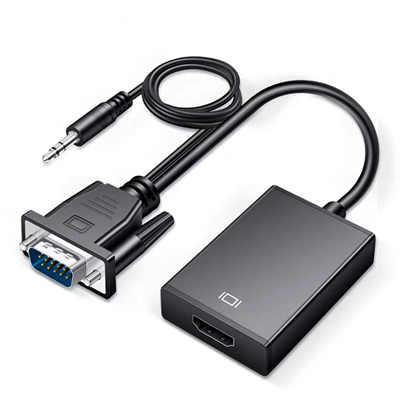
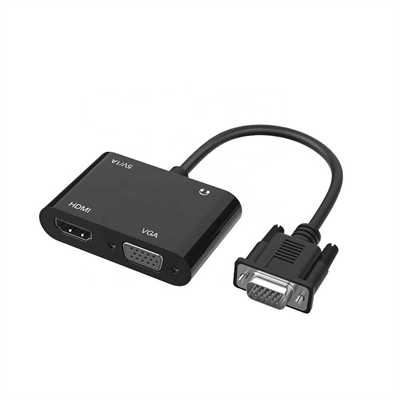
Modern GPUs (NVIDIA RTX 4000 series, AMD Radeon 7000 series) no longer include VGA or even DVI-I. You have two paths:
| Method | Latency Impact | Image Quality | Cost | Max Resolution/Refresh |
|---|---|---|---|---|
| Native VGA (old GPU) | None | Excellent | Low | Up to monitor limit |
| DisplayPort 1.4 to VGA active adapter | +0.3–0.5ms | Good (with quality DAC) | $20–50 | 1920x1080 @ 85Hz |
| HDMI to VGA active adapter | +0.4–0.8ms | Good | $15–30 | 1920x1080 @ 60Hz (often limited) |
| External scan converter (Extron, Corio) | +1–2 frames | Very good | $100+ | Full range |
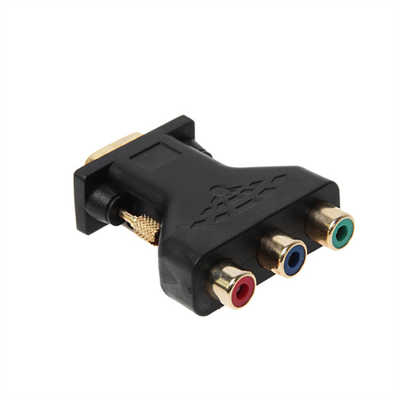
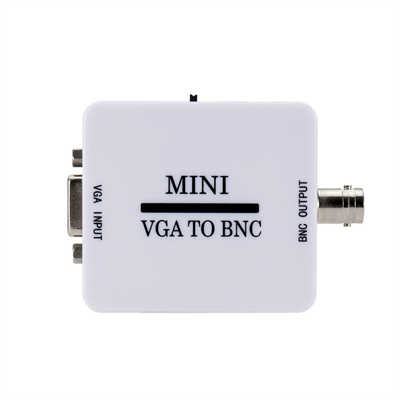
Recommendation: Buy a Delock 87685 or StarTech DP2VGAPRO—these use high-quality DACs (Analogix ANX9847) and support up to 400 MHz pixel clock, meaning 2048x1536 @ 85Hz. Avoid cheap $5 HDMI-to-VGA dongles; they often cap at 1600x1200 @ 60Hz and introduce shimmering artifacts.
4. What Modern Games Actually Work Well?
-
Competitive shooters (Valorant, Overwatch 2, Apex Legends): Excellent – motion clarity gives an edge.
-
Retro-inspired (Hades, Dead Cells, TMNT: Shredder’s Revenge): Native feel.
-
Slow-paced RPGs (Baldur’s Gate 3, Cyberpunk 2077): Text can be hard to read below 1024x768. UI scaling issues occur.
-
Flight sims (Microsoft Flight Simulator): Poor – small screen size and lack of 16:9 hurt situational awareness.
-
Horror (Alan Wake 2, Silent Hill 2 Remake): Surprisingly good due to deep black levels (CRTs have true 0-nit blacks) and no backlight bleed.
Data note: A calibrated CRT can achieve >30,000:1 sequential contrast, albeit with lower peak brightness (~100–150 nits) compared to modern HDR’s 1000 nits.
5. Downsides You Cannot Ignore
- Weight & Size – A 21-inch CRT weighs 50–75 lbs. It also needs 18+ inches of desk depth.
- Geometry & Convergence – Over time, CRTs develop pincushion distortion, color purity errors, and blurry corners. Manual calibration via OSD or service menu is required.
- Heat & Power – A 19-inch CRT draws 80–130W, vs. 30W for a similar LCD.
- Availability – No new units exist. You’ll hunt on Facebook Marketplace, eBay, or recycling centers. Expect to pay $50–300 for a decent model.
- No HDR – While contrast is excellent, CRTs lack wide color gamut (usually ~72% NTSC) and high peak brightness for HDR10.
6. Step-by-Step Setup for Modern Gaming
- Find a late-model CRT (1999–2004) with at least 96kHz horizontal scan – look for Diamondtron or Trinitron tubes.
- Buy a quality DP/HDMI to VGA adapter (see recommendations above).
- Create custom resolutions using CRU (Custom Resolution Utility) or NVIDIA Control Panel. For example:
- 1280x960 @ 120Hz
- 1024x768 @ 144Hz
- 800x600 @ 160Hz
- Disable VSync in games to minimize any adapter-induced buffering.
- Calibrate geometry using the on-screen display (pincushion, trapezoid, parallelogram, rotation). Pro tip: Set Windows scaling to 100% and sit at least 20 inches away to avoid scanline visibility at lower resolutions.
7. FAQ
Q1: Is input lag worse with an adapter?
No, high-quality active adapters add less than 0.5ms. Your game’s frame time (e.g., 8.3ms at 120Hz) dominates total lag.
Q2: Can I play at 4K on a VGA CRT?
No. Maximum horizontal scan rate limits dot clock. The highest-end CRTs (Sony FW900) do 2304x1440 @ 80Hz or 1920x1200 @ 95Hz – not true 4K.
Q3: Will Windows 11 detect a CRT properly?
Yes, but as a “Generic Non-PnP Monitor.” You must manually set refresh rates via CRU or NVIDIA Custom Resolution.
Q4: Do I need original VGA cables?
Use a well-shielded VGA cable (e.g., from an old Dell monitor). Cheap thin cables cause ghosting at high pixel clocks (>200MHz).
Q5: Does a CRT reduce eye strain compared to PWM dimming monitors?
For some users, yes – CRTs have no backlight PWM flicker, but they do flicker at the refresh rate (60Hz is noticeable, 85Hz+ is not). Most people prefer 100Hz+ for comfort.
8. Conclusion: Should You Actually Do It?
Yes, if you are a competitive gamer who prioritizes motion clarity over size, don’t mind tinkering with custom resolutions, and already own or can find a high-bandwidth CRT for under $150. No, if you want HDR, ultrawide aspect ratios, silent operation, or plug-and-play simplicity. Also skip if your game library relies heavily on tiny UI text (e.g., Civilization VI, Starfield). For everyone else, using a VGA CRT for modern gaming is a fascinating, surprisingly effective rabbit hole. It won’t replace your main 4K OLED, but as a secondary monitor for shooters and retro-modern titles, it remains uniquely unmatched. Just be prepared for the weight, the heat, and the hunt.
📖 Related Featured Articles

RCA vs. HDMI: Which has better quality for retro gaming?
RCA vs. HDMI for retro gaming: Can a cheap converter beat analog? We analyze signal latency, upscali...

HDMI Switch Explained:Connect Multiple Devices to One TV Port - WinFitin
Struggling with too few HDMI ports on your TV? This guide explains how an HDMI switch works, key spe...

HDMI 2.1 vs. DisplayPort: Which Is Better for Gaming?
Compare HDMI 2.1 and DisplayPort for PC gaming. Analyze bandwidth, refresh rates, and G-Sync/FreeSyn...

10 Ways to Use a VGA to HDMI Converter Bridging Analog-Digital Divide
Discover 10 practical ways to use a VGA to HDMI converter—from classrooms and conference rooms to di...