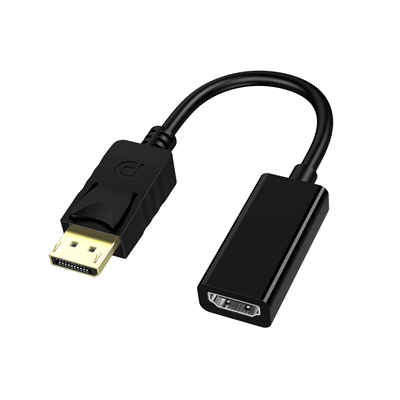
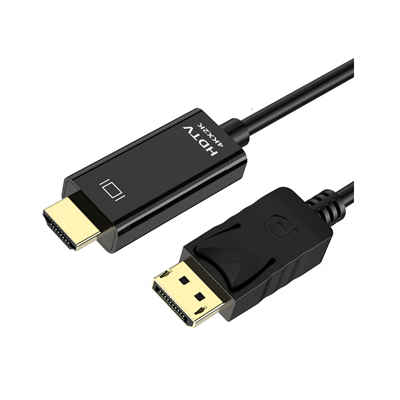
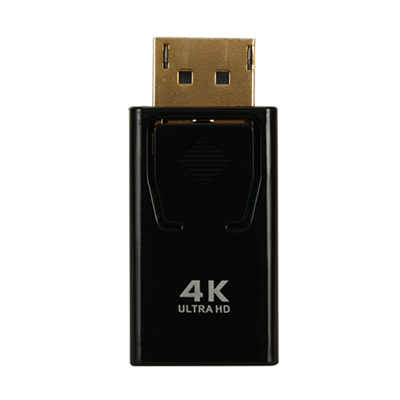
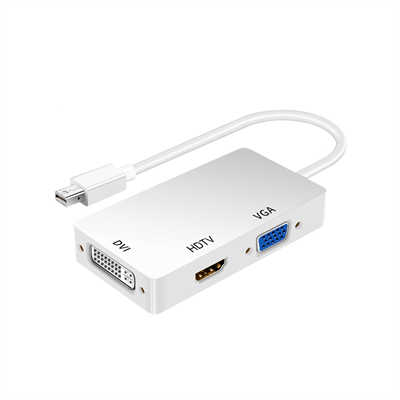
HDMI 2.1 vs. DisplayPort: Which Is Better for Gaming?
When building the ultimate gaming rig or setting up a next-gen console, we tend to obsess over the big-ticket items: the GPU, the CPU, and the monitor’s panel type. But there is a silent hero (or bottleneck) sitting in the cable management chaos behind your desk—the connection standard.
For years, the debate between HDMI and DisplayPort has raged on. However, with the arrival of HDMI 2.1 and the maturation of DisplayPort 2.0/2.1, the landscape has shifted dramatically.
So, if you are sitting down with a brand new RTX 50-series card, a PlayStation 5, or a high-refresh-rate monitor, which port should you be using? Let’s dive into the ultimate showdown: HDMI 2.1 vs. DisplayPort.
1.0 The Contenders: A Quick Overview
Before we look at the specs, it’s important to understand what each cable was designed to do.
- HDMI (High-Definition Multimedia Interface): Historically the king of consumer electronics. You’ll find HDMI ports on TVs, projectors, and consoles. HDMI 2.1 is the latest major iteration designed to bridge the gap between living room entertainment and high-performance PC gaming.
- DisplayPort: Developed by VESA, DisplayPort was engineered with one primary goal in mind: PC gaming. It has traditionally been the go-to for high refresh rates and resolutions because of its superior bandwidth and adaptive sync support.
2.0 Bandwidth and Resolution: Who Packs the Bigger Punch?
Bandwidth is the currency of video signals. It determines how much data can travel from your source (PC or console) to your display per second.
- HDMI 2.1: Offers a maximum bandwidth of 48 Gbps. This is a massive leap from HDMI 2.0. It allows for 4K at up to 144Hz (and even 240Hz with DSC – Display Stream Compression) and 8K at 60Hz. For console gamers, this is the golden ticket.
- DisplayPort (1.4 & 2.1): This is where it gets a little tricky.
- DisplayPort 1.4 caps out at 32.4 Gbps. However, it utilizes DSC extremely efficiently to support 4K at 240Hz or 8K at 60Hz.
- DisplayPort 2.1 is the current champion, offering a whopping 80 Gbps bandwidth. This unlocks 4K at 480Hz, 8K at 120Hz, and even 16K without compression.
Winner: DisplayPort (if your devices support DP 2.1). However, for 99% of current gaming scenarios (4K at 144Hz/240Hz), both standards are neck and neck thanks to DSC.
3.0 Variable Refresh Rate (VRR): The Smoothness Factor
Screen tearing is the enemy of immersion. Both standards now support Variable Refresh Rate technologies, but they go by different names.
- HDMI 2.1: Supports HDMI Forum VRR. This is an open standard that works perfectly with next-gen consoles like the Xbox Series X and PS5. While NVIDIA G-SYNC and AMD FreeSync can work over HDMI, it is often monitor-specific and less universal than DisplayPort.
- DisplayPort: This is the native habitat of G-SYNC and FreeSync. If you are a PC gamer with a high-end NVIDIA or AMD graphics card, DisplayPort offers the most stable, plug-and-play experience for adaptive sync.
Winner: DisplayPort for PC gamers. HDMI 2.1 for console gamers (as consoles lack DisplayPort outputs).
4.0 Which One Do You Actually Need?
The “best” connection depends entirely on your hardware. You cannot use DisplayPort on a PlayStation 5, and you might not want to use HDMI 2.1 on a 500Hz esports monitor.
4.1 Choose HDMI 2.1 If:
- You are a console gamer: PS5, Xbox Series X, and even the Nintendo Switch (though limited) rely on HDMI. If you want 4K at 120Hz on your console, you need an HDMI 2.1 compatible TV or monitor.
- You use a TV as a monitor: Modern OLED TVs (like LG C-series) are popular gaming displays. They typically have HDMI 2.1 ports but lack DisplayPort inputs.
- You want eARC: If you have a high-end soundbar or audio receiver, HDMI 2.1’s Enhanced Audio Return Channel is necessary for uncompressed surround sound.
4.2 Choose DisplayPort If:
- You are a competitive PC gamer: If you have a 240Hz, 360Hz, or even 480Hz monitor, DisplayPort (especially DP 1.4 or 2.1) is the only way to unlock the full refresh rate potential without chroma subsampling.
- You have a multi-monitor setup: DisplayPort supports MST (Multi-Stream Transport), allowing you to daisy-chain multiple monitors from a single cable. HDMI does not support this.
- You use G-SYNC: For native G-SYNC modules, DisplayPort is mandatory.
5.0 Future-Proofing: What Lies Ahead?
If you are building a PC today, DisplayPort 2.1 is the future-proof choice. It has significantly more headroom than HDMI 2.1. While HDMI 2.1 is currently “enough” for 4K 144Hz, DisplayPort 2.1 is ready for the next wave of 4K 480Hz and 8K 120Hz monitors that are just starting to hit the market.
However, the graphics card industry dictates the standard. NVIDIA’s latest RTX 50-series cards (like the 5090 and 5080) feature both DisplayPort 2.1a and HDMI 2.1b, giving you the best of both worlds.
6.0 The Verdict
There is no single winner here—the victory is contextual.
If you are sitting on the couch with a controller in hand, HDMI 2.1 is your only path to high-performance gaming. It revolutionized the console experience by finally allowing 4K gaming at 120 frames per second.
If you are sitting at a desk with a high-refresh-rate gaming monitor and a powerful graphics card, DisplayPort remains the superior choice. It offers higher raw bandwidth (on DP 2.1), better compatibility with G-SYNC/FreeSync, and the flexibility of daisy-chaining.
The Bottom Line: For the ultimate gaming experience, you don’t have to choose. Use HDMI 2.1 for your console, and DisplayPort for your PC. Most modern monitors and GPUs support both, so check your monitor’s specifications to see which port unlocks the highest refresh rate at your preferred resolution.
📖 Related Featured Articles

RCA vs. HDMI: Which has better quality for retro gaming?
RCA vs. HDMI for retro gaming: Can a cheap converter beat analog? We analyze signal latency, upscali...

Active vs. Passive HDMI Adapters: What’s the Difference? - WinFitin
Convert correctly. Learn why active HDMI adapters contain chipsets necessary for converting signals ...

DisplayPort to VGA vs HDMI to VGA: Which adapter is faster? - WinFitin
Both work well, but DisplayPort to VGA adapters often support higher refresh rates and resolutions d...

HDMI to SDI Converters Why Broadcast Professionals Use Them
Discover why broadcast pros rely on HDMI to SDI converters for stable, long-signal-run productions....