RCA vs. HDMI: Which Has Better Quality for Retro Gaming?
For anyone who has tried to plug an old Nintendo 64 or Sega Genesis into a brand-new 4K television, the result is often a pixelated, blurry, or lag-ridden mess. You are looking at two entirely different worlds here: the analog past versus the digital present.
The short answer is that HDMI provides universally better “quality” in terms of clarity and signal integrity, but only if the console outputs a native digital signal or uses a high-end upscaler. If you are using a cheap passive adapter, the raw RCA connection on a Standard Definition CRT actually looks better than the converted signal on a 4K screen. Let’s break down the why, the data, and the hardware.
The Fundamental Signal Difference
To understand the quality gap, you first have to accept that these are not just different plugs; they are different languages.
- RCA (Composite): This is an analog signal. Specifically, for video, the yellow plug carries a composite signal that crams luminance (brightness), chrominance (color), and sync timing into a single channel . Because these signals overlap, they inherently create artifacts like dot crawl (moving dots around edges) and color bleeding. Technically, standard RCA is limited to 480i or 576i resolution .
- HDMI: This is a purely digital signal. It sends uncompressed video data via a differential pair (TMDS). Because the signal is digital, it is immune to the analog interference that plagues RCA cables. On a technical level, HDMI maintains a perfect 1:1 pixel mapping of the source up to its rated spec (e.g., 4K or 8K) .
When you try to mix the two without proper equipment, you force your modern TV to do something it is terrible at: guessing what the analog signal should look like.
The “Upscaling” Trap (Why Cheap Converters Fail)
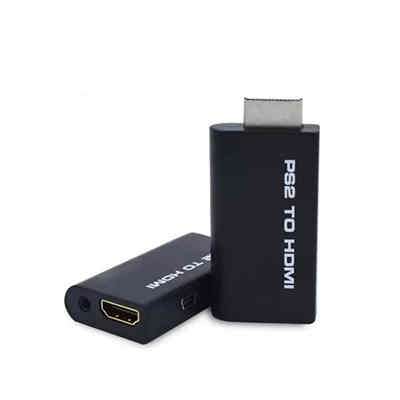
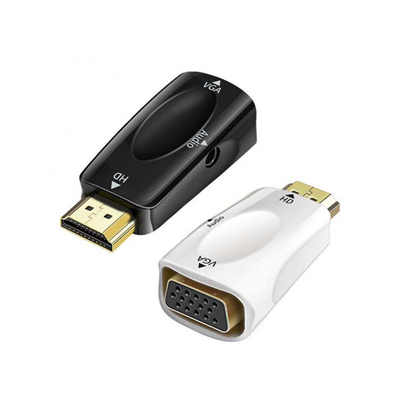
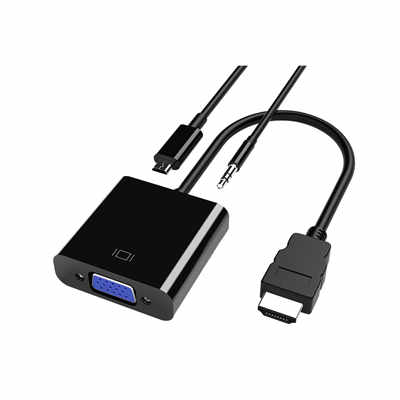
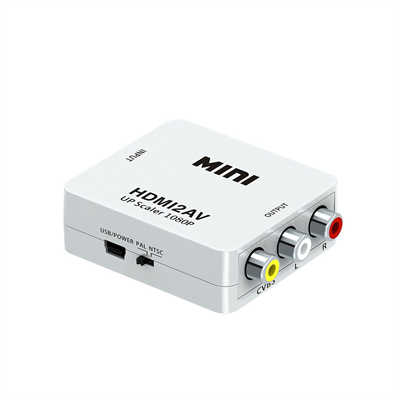
This is where most retro gamers get frustrated. You buy a $15 RCA-to-HDMI converter from an online marketplace. The box says it “converts to 1080p.” You plug it in, and Mario looks like a blurry watercolor painting.
Here is the hard truth: A passive converter cannot create detail that isn’t there. While the converter outputs a 1080p signal, the source information is still only 480i. The cheap chip inside simply stretches the image. It does not add detail; it adds interpolation artifacts .
| Feature | Cheap RCA>HDMI Converter | High-End Upscaler (RetroTINK/OSSC) |
|---|---|---|
| Signal Processing | Basic bilinear stretching | Pixel-perfect line doubling/multiplication |
| Latency | High (30-60ms of lag) | Near-zero (0.1ms to 2ms) |
| Artifacts | Severe macroblocking, dot crawl | Clean, sharp pixels; optional scanlines |
| Result | Unplayable for action games | CRT-like clarity or better |
To get better quality, you need a device that actually reconstructs the signal. For example, the RetroTINK 5X or the OSSC (Open Source Scan Converter) reads the 240p/480i signal and performs “line doubling.” Instead of just stretching the image, they double every line of resolution. A 240p signal becomes 480p, then 720p, then 1080p without adding the “smear” of a cheap converter .
Component vs. Composite: The RCA Caveat
Before we fully bury RCA, we need to clarify a massive point of confusion: Not all RCA is created equal.
When most people say “RCA,” they mean the Yellow (Video), Red/White (Audio) composite cable. This is the worst quality analog connection.
However, many retro consoles (like the PS2, OG Xbox, and Wii) also support Component Video (Red, Green, Blue RCA cables). Component video separates the signal into three distinct channels (YPbPr). This is a massive quality leap.
- Composite RCA is limited to ~480i with heavy color bleed.
- Component RCA can support 1080p on some devices and has zero color bleed .
If you are using Component RCA cables on a console that supports progressive scan (480p), the visual quality is surprisingly close to HDMI. In fact, a raw Component signal going into a CRT monitor often looks superior to a cheap HDMI conversion.
Latency: The Silent Killer
For retro gaming, latency is arguably more important than resolution. This is where the analog advocates have a strong argument.
A native RCA connection to a CRT television has effectively zero input lag. The electron beam fires instantly based on the voltage . When you introduce HDMI, you introduce a chain of processing:
- ADC (Analog to Digital): The converter digitizes the signal.
- Scaling: The TV fits the image to the screen.
- Display: The LCD/OLED pixels change state.
A modern TV in “Game Mode” usually has about 10-20ms of lag. However, a cheap RCA-to-HDMI adapter can add 40-60ms of lag on top of that. For a game like Super Mario Bros., where frame-perfect jumps occur every 16ms (60fps), that lag makes the game feel like you are playing underwater .
The Verdict: Which should you use?
So, which one actually has better quality? It depends entirely on your setup.
Choose RCA (Analog) if:
- You are playing on a CRT television. The natural scanlines and zero latency of analog video are the “authentic” experience. The flaws of composite video (dithering blending) were often used by pixel artists to create transparency effects .
- You are using Component Cables (YPbPr) on a PS2 or Wii. 480p component looks fantastic on a Plasma or late-era Plasma TV.
Choose HDMI (Digital) if:
- You are using a modern 4K TV. Modern TVs often strip out analog inputs entirely because the internal scalers are terrible .
- You have an FPGA or Hardware Emulation console (Analogue Super Nt, MiSTer). These devices output native digital HDMI. The quality is perfect—crisp pixels, zero signal noise, and instant response.
- You invest in a high-quality scaler. A RetroTINK or OSSC connected to your original hardware via RGB SCART or Component will look better than the original hardware ever did on a 4K screen .
Conclusion
HDMI has the potential for the best quality, but only if you spend the money to do it right. A $15 adapter will give you a washed-out, laggy mess that is worse than the RCA cables you threw away in 2005. Conversely, a $300 RetroTINK 4K or a native HDMI-modded console delivers a flawless image that respects the original pixel art while utilizing modern display technology.
If you just want to play GoldenEye for 20 minutes at a party, dig out the old RCA cables and a small CRT. If you want to play Chrono Trigger on a 65-inch OLED with pixel-perfect clarity, you need to go HDMI—just be prepared to pay for the privilege.
📖 Related Featured Articles

HDMI 2.1 vs. DisplayPort: Which Is Better for Gaming?
Compare HDMI 2.1 and DisplayPort for PC gaming. Analyze bandwidth, refresh rates, and G-Sync/FreeSyn...

Active vs. Passive HDMI Adapters: What’s the Difference? - WinFitin
Convert correctly. Learn why active HDMI adapters contain chipsets necessary for converting signals ...

DisplayPort to VGA vs HDMI to VGA: Which adapter is faster? - WinFitin
Both work well, but DisplayPort to VGA adapters often support higher refresh rates and resolutions d...

HDMI to SDI Converters Why Broadcast Professionals Use Them
Discover why broadcast pros rely on HDMI to SDI converters for stable, long-signal-run productions....