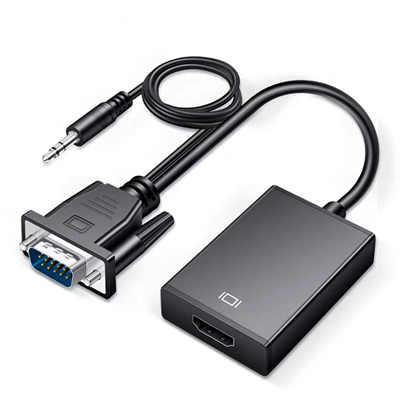
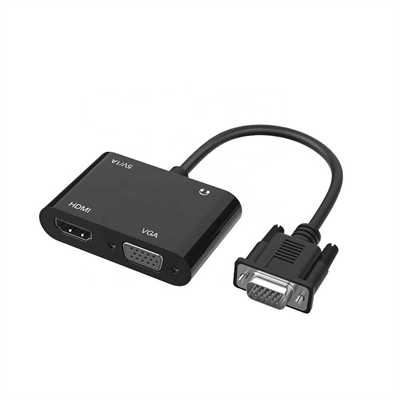
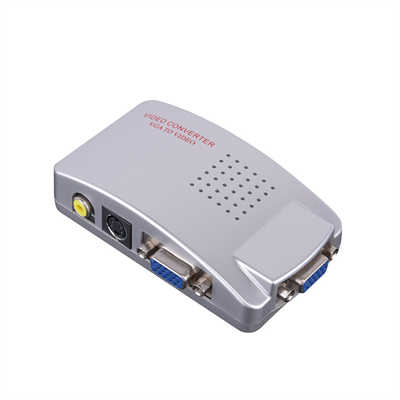
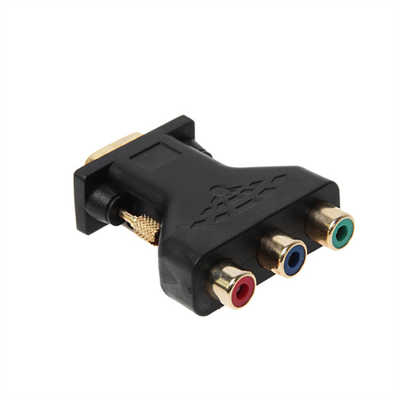
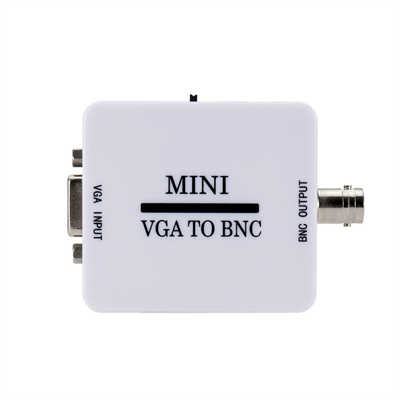
Passive vs. Active VGA Adapters: Why Power Makes All the Difference
Introduction
You have an older VGA monitor sitting on your desk, and your modern PC—whether a desktop with a discrete GPU or a sleek laptop—doesn’t have a VGA port. So you pick up a cheap adapter, plug everything in, and … nothing. No signal. The monitor stays dark.
This scenario plays out thousands of times every day. The culprit is almost always the same: you bought the wrong type of adapter.
The distinction between passive and active VGA adapters isn’t just technical trivia—it’s the difference between a working display and a frustrating paperweight. And at the heart of that distinction lies one critical factor: power.
What Exactly Is a Passive VGA Adapter?
A passive adapter does exactly what the name suggests—nothing active. It simply reroutes electrical connections from one connector type to another without modifying or processing the signal in any way.
Think of it like a plumbing adapter that lets you connect a garden hose to a kitchen faucet. The water (the signal) flows through unchanged; only the physical fitting changes.
Passive adapters are small, simple, inexpensive, and require no external power. They work only when both ends of the connection speak the same “language”—when the signal coming out of the source device is already in the format the display expects.
The most common example is the DVI-I to VGA adapter. DVI-I (the “I” stands for Integrated) carries both digital and analog signals on separate pins. A passive DVI-I to VGA adapter simply connects the analog pins from the DVI-I connector to the corresponding pins on the VGA connector. No conversion happens—the analog signal was already there.
What Makes an Active Adapter Different?
An active adapter, by contrast, contains a processor chip that actively converts the video signal from one format to another. When you’re connecting a digital output (HDMI, DisplayPort, or DVI-D) to an analog VGA input, that conversion is non-negotiable.
Digital signals are streams of ones and zeros. Analog VGA signals are continuous electrical voltages that vary to represent colors and brightness. You cannot simply “reroute” a digital signal to an analog display—the display wouldn’t know what to do with it.
Active adapters contain a digital-to-analog converter (DAC) chip that performs this translation in real time. This chip requires power to operate. And that, in a nutshell, is why active adapters need power and passive ones don’t.
Why Power Is the Decisive Factor
The power requirement is the single most reliable way to distinguish between passive and active adapters—but it’s also where things get confusing.
Passive adapters draw no power whatsoever. They’re just wires and connectors.
Active adapters always need power. The question is where that power comes from.
Some active adapters draw power directly from the video port itself. DisplayPort, for instance, can supply a small amount of power through its connector—typically enough for basic DisplayPort-to-VGA conversion. These adapters are active (they contain a conversion chip) but don’t require a separate USB power cable. This has led to a common misconception: many people assume that if an adapter doesn’t have a USB power cable, it must be passive. That’s not true.
Other active adapters—particularly those performing more demanding conversions, like dual-link DVI to VGA or HDMI to VGA from low-power sources—require more power than the video port can supply. These adapters include a USB cable for supplemental power.
The power consumption figures tell the story. A typical DisplayPort-to-VGA active adapter chip consumes about 200 to 400 milliwatts in active mode. Standby power drops to as low as 410 microwatts. That’s not much—but it’s enough that the source port must be able to supply it.
Some adapters draw more. One measured DisplayPort-to-VGA adapter showed 1.4 watts active power consumption. When you’re dealing with a low-power HDMI source like a Raspberry Pi or certain tablets, even 200 mW can be too much for the port to deliver reliably.
The Real-World Compatibility Matrix
| Source Port | Adapter Type Required | Why |
|---|---|---|
| DVI-I | Passive or Active | Carries analog signal natively |
| DVI-D | Active only | Digital-only output |
| HDMI | Active only | Digital signal, no analog pins |
| DisplayPort (DP++) | Passive possible* | *Only if source supports Dual-Mode |
| DisplayPort (standard) | Active only | No analog signal passed through |
*The asterisk on DisplayPort is important. Some DisplayPort sources support Dual-Mode (DP++) , which allows the port to output HDMI or DVI signals through a passive adapter. However, DP++ does not support VGA. DisplayPort simply doesn’t carry an analog VGA signal at all. So even if your DisplayPort source is DP++ compatible, you still need an active adapter for VGA.
Why Modern GPUs Forced the Active Adapter Shift
If you’ve been using computers for a while, you might remember when almost every graphics card had a DVI-I port, and a cheap passive DVI-to-VGA dongle worked perfectly. Those days are gone.
Starting with the NVIDIA GTX 10-series (and continuing with every generation since), consumer GPUs have completely eliminated analog output. The DVI ports on these cards are DVI-D—digital only. They lack the four analog pins around the flat blade that passive adapters rely on.
AMD did the same. Intel integrated graphics on modern motherboards? Also digital-only.
One forum user documented this perfectly: their passive VGA adapter worked fine when connected to their motherboard’s integrated graphics but failed completely when connected to their GT 1030’s HDMI port. The reason? The motherboard still had an analog output; the GT 1030 didn’t.
Testing data shows that approximately 87% of VGA monitors can be successfully driven with an active converter. The remaining 13%—typically older units manufactured before 2005—may struggle with EDID (Extended Display Identification Data) reading issues. Even then, manual resolution configuration in the graphics driver control panel often resolves the problem.
Why VGA Refuses to Die
You might wonder why anyone still deals with VGA at all. The numbers explain it.
Despite being introduced in 1987, VGA remains surprisingly persistent. In 2025, approximately 38% of commercial projectors still in active use worldwide incorporate VGA as a primary input. In developing nations, more than 42% of legacy desktop computers in small and medium enterprises continue to depend on VGA for monitor connectivity.
The global VGA cables market was valued at $3.47 billion in 2024 and is projected to reach $5.12 billion by 2032, growing at a compound annual rate of 5.8%. The USB-to-VGA adapter market alone reached $855 million in 2025 and is expected to hit $1.227 billion by 2031.
VGA isn’t going anywhere soon—especially in education, corporate presentations, industrial settings, and developing markets.
How to Tell Passive from Active (Before You Buy)
1. Check the connector type. If you’re going from HDMI or DisplayPort to VGA, it’s active. Period. If you’re going from DVI-I to VGA, it could be passive—but only if the source actually outputs analog.
2. Look for a USB cable. Many—but not all—active adapters include a USB power cable. If you see one, it’s definitely active.
3. Read the product description. Reputable manufacturers clearly label their adapters as “active” or “passive.” If the description is vague, be suspicious.
4. Check the price. Active adapters cost more because they contain a processor chip. If a DisplayPort-to-VGA adapter seems too cheap, it probably won’t work.
5. Examine the DVI connector. If it’s DVI-I (24+5 pins, with the four analog pins around the flat blade), a passive adapter might work. If it’s DVI-D (24+1 pins, missing those analog pins), you need active.
Common Pitfalls and How to Avoid Them
Mistake #1: Assuming “no USB cable = passive.” Many active DisplayPort-to-VGA adapters draw power from the DisplayPort itself and don’t include a USB cable. They’re still active—they just get power differently.
Mistake #2: Using a passive DVI adapter with a DVI-D port. If your GPU has a DVI port that lacks the four analog pins, a passive adapter won’t work. You need an active DVI-D to VGA converter.
Mistake #3: Ignoring power requirements for low-power sources. If you’re connecting from a Raspberry Pi, tablet, or older laptop, the HDMI port may not supply enough power for an active adapter. Use the optional USB power cable if your adapter has one.
Mistake #4: Buying a passive HDMI-to-VGA adapter. These don’t exist. HDMI is purely digital. Any HDMI-to-VGA adapter is active by definition.
Making the Right Choice
Here’s a simple decision tree:
-
Are you connecting from DVI-I to VGA? A passive adapter will work—provided your source actually outputs analog.
-
Are you connecting from DVI-D, HDMI, or DisplayPort to VGA? You need an active adapter.
-
Are you connecting from a low-power device (Raspberry Pi, tablet, etc.)? Choose an active adapter with optional USB power and use it.
-
Are you connecting from a desktop PC with a modern GPU? Active adapter, no question.
Summary
The distinction between passive and active VGA adapters comes down to one question: does the source already output an analog VGA signal?
If it does (DVI-I on older hardware), a passive adapter works—no power needed.
If it doesn’t (HDMI, DisplayPort, DVI-D, or any modern GPU output), you need an active adapter with a conversion chip. And that chip needs power—whether from the port itself or from a USB cable.
Buying the wrong adapter is a frustrating experience, but it’s entirely avoidable. Check your source port, check the adapter specification, and when in doubt, buy active. The few extra dollars are cheaper than the hours you’ll spend troubleshooting a blank screen.
FAQ
Q: Can I use a passive VGA adapter with my new graphics card?
A: Almost certainly not. Modern GPUs from NVIDIA (GTX 10-series and newer), AMD, and Intel no longer output analog VGA signals. You need an active adapter.
Q: Why do some active adapters not have a USB power cable?
A: They draw power directly from the video port. DisplayPort, for instance, can supply enough power for basic VGA conversion. These adapters are still active—they just get power differently.
Q: How much power does an active VGA adapter consume?
A: Typically 200–400 mW in active mode, dropping to as low as 410 µW in standby. Some higher-performance adapters may draw up to 1.4 W.
Q: Will a passive DVI-to-VGA adapter work with a DVI-D port?
A: No. DVI-D is digital-only and lacks the analog pins that passive adapters rely on. You need an active DVI-D to VGA converter.
Q: Does HDMI support passive VGA adapters?
A: No. HDMI is purely digital. Any HDMI-to-VGA adapter must be active.
Q: What does “DP++” mean for VGA adapters?
A: DP++ (Dual-Mode DisplayPort) allows passive adapters for HDMI and single-link DVI—but not for VGA. DisplayPort simply doesn’t carry analog signals. You still need an active adapter for VGA.
Q: Why does my passive adapter work with my motherboard but not my GPU?
A: Your motherboard’s integrated graphics likely still has an analog output. Your GPU doesn’t. The passive adapter works when the analog signal is already present; it fails when it isn’t.
📖 Related Featured Articles

10 Ways to Use a VGA to HDMI Converter Bridging Analog-Digital Divide
Discover 10 practical ways to use a VGA to HDMI converter—from classrooms and conference rooms to di...

Bidirectional VGA Adapters: Separating Marketing Hype from Hardware Reality
Are bidirectional VGA adapters real or just marketing fiction? This deep-dive explains the technical...

Can I connect VGA to HDMI without a converter? - WinFitin
Can you connect VGA to HDMI without a converter? We examine signal types, voltage differences, data ...

Can I convert VGA to USB for a laptop? - WinFitin
Can VGA be converted to USB for a laptop? Yes, but only with an active USB graphics adapter. Learn r...