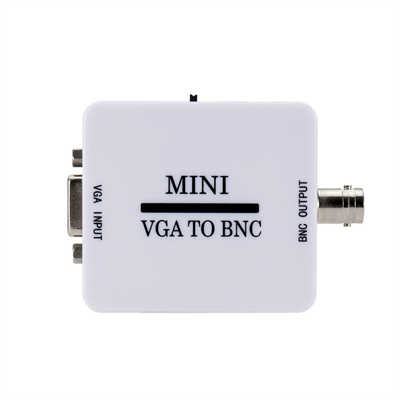
Bidirectional VGA Adapters: Separating Marketing Hype from Hardware Reality
Introduction
Walk into any electronics store or scroll through Amazon for a few minutes, and you will inevitably stumble upon cables and adapters labeled as “bidirectional VGA” or “HDMI ↔ VGA.” The promise is tantalizingly simple: one cable, either direction, no fuss. Plug your laptop into a monitor, or your desktop into a TV—same cable, works both ways.
But does it actually work that way?
The short answer is no—not for most cases, anyway. The longer answer involves analog signals, digital signals, active electronics, passive wiring, and a fair bit of marketing creativity. This article cuts through the noise to explain what bidirectional VGA adapters really are, where they work, where they fail, and why the term itself is often misleading.
The Great Confusion: What Does “Bidirectional” Even Mean?
Before we can answer whether bidirectional VGA adapters are real, we need to clarify what we are actually talking about. The term “bidirectional” gets thrown around in three entirely different contexts, and confusing them is where most of the myth originates.
Context 1: VGA-to-VGA Cables (Truly Bidirectional)
A standard VGA male-to-male cable—the kind with 15-pin D-sub connectors on both ends—is genuinely bidirectional in the sense that it carries analog video signals equally well in either direction. This is because the cable contains nothing but copper wires; it simply passes whatever analog signal is fed into it from one end to the other. These cables are often marketed as “bidirectional VGA cables” by reputable brands like Club 3D and Baseus, and in this context, the term is technically accurate.
However—and this is crucial—these cables do not convert anything. They do not change VGA into HDMI, nor do they perform any signal processing. They merely connect two VGA ports. If you have a VGA output on one device and a VGA input on another, a VGA-to-VGA cable works in either direction because the signal remains analog VGA throughout.
Context 2: Format-Converting Adapters (Almost Never Bidirectional)
This is where the real confusion—and the real myth—lives. Adapters that convert between different video formats—say, HDMI to VGA, or DisplayPort to VGA—are a completely different beast. Unlike a simple VGA cable, these adapters must translate between fundamentally different signal types.
VGA is an analog signal, first introduced in 1987. It transmits video as continuous electrical waves—think of it like a vinyl record. HDMI, by contrast, is digital; it speaks in binary code, ones and zeros, and carries audio alongside video.
Converting between analog and digital requires an active electronic circuit—specifically, either a DAC (Digital-to-Analog Converter) or an ADC (Analog-to-Digital Converter). These are not passive components; they require power and contain dedicated silicon chips. A simple passive adapter—one that just rewires pins from one connector shape to another—cannot perform this conversion.
The critical point is that a DAC and an ADC are different circuits. A chip designed to convert digital HDMI into analog VGA cannot magically work in reverse to convert analog VGA into digital HDMI. The hardware is directional by design.
Context 3: EDID and the “Bidirectional Protocol”
There is, however, a narrow sliver of truth to the idea of bidirectional communication in VGA connections. The VGA and DVI specifications include a Display Data Channel (DDC) that allows the monitor to send EDID (Extended Display Identification Data) back to the source device. This tells the computer what resolutions and refresh rates the monitor supports.
But this is not video signal flowing backward—it is just a low-speed data channel for identification purposes. As one security researcher put it, “The bidirectional protocol in VGA and DVI is very very limited, and basically is only used to identify the monitor and exchange video resolution and timing information”. It is far too primitive to carry video in reverse.
The Technical Reality: Why Most “Bidirectional” Adapters Are Unidirectional
Let us get specific. When you see an adapter labeled “HDMI ↔ VGA” or “bidirectional HDMI/VGA,” what are you actually getting?
The DAC vs. ADC Problem
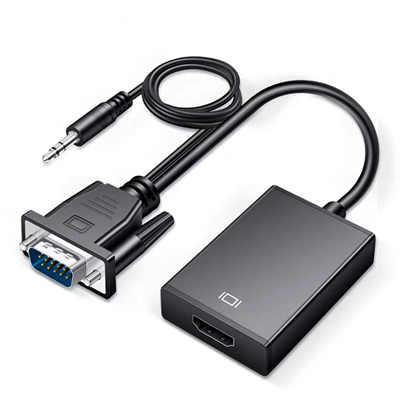
An HDMI-to-VGA adapter contains a DAC chip. It takes the digital HDMI signal, decodes it, and converts it into the analog RGB signals that a VGA monitor expects. This is a one-way street.
A VGA-to-HDMI adapter, conversely, requires an ADC chip. It samples the analog VGA signal, digitizes it, and packages it into HDMI format. This is also a one-way street—but in the opposite direction.
A single adapter cannot contain both a DAC and an ADC in a cost-effective manner, which is why you will rarely—if ever—find a genuinely bidirectional HDMI-VGA adapter on the market. As one electronics forum user aptly noted: “VGA/HDMI adaptors are not bidirectional, unlike passive DVI-I↔VGA or DVI-D↔HDMI adaptors, because they actually need to convert the signals to a different ‘format’”.
The Exception That Proves the Rule
There is one notable exception: DVI. DVI comes in several flavors, and DVI-I (integrated) carries both digital and analog signals on the same connector. A passive DVI-I to VGA adapter simply rearranges pins—no active conversion required. Similarly, DVI-D to HDMI is a passive conversion because both are digital formats.
But VGA and HDMI? Completely different signal types. No passive adapter can bridge them.
What About “Bidirectional” Switches and Scalers?
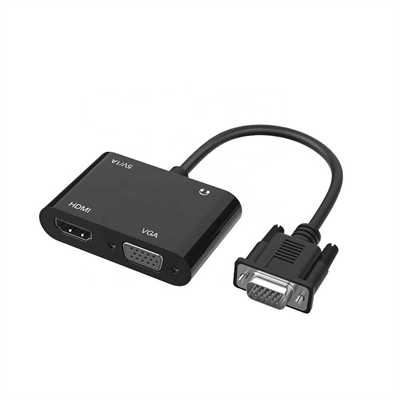
You may also encounter products like the “VGA 1進2出多功能500MHz雙向分配器切換器” that claim bidirectional functionality. These are typically switches or distribution amplifiers, not format converters. They allow you to switch which device is connected to which display—two computers sharing one monitor, or one computer driving two monitors. The signal remains VGA throughout; the “bidirectional” refers to the switching capability, not to format conversion.
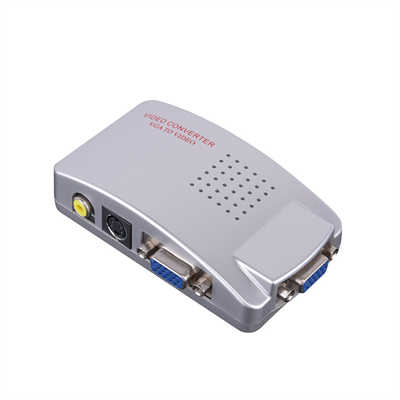
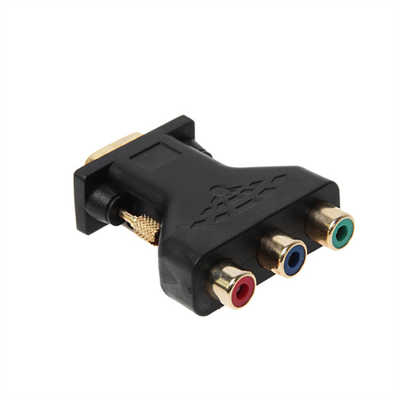
Similarly, professional-grade scalers like the Audio Authority 1366 or Atlona AT-VGA300CV can convert VGA to component video and vice versa. These are expensive, powered devices with sophisticated processing hardware—not the $5 dongles you find on Amazon. They are real, but they are also in a completely different product category.
Market Reality: What Is Actually Being Sold?
The “Bidirectional” Label as Marketing
A quick survey of online marketplaces reveals a predictable pattern. Search for “bidirectional VGA adapter” and you will find:
- VGA-to-VGA cables labeled bidirectional (accurate)
- HDMI-to-VGA adapters labeled bidirectional (inaccurate—they only work one way)
- VGA switches labeled bidirectional (accurate, but not format-converting)
- Random dongles with vague claims that collapse under scrutiny
One industry source puts it bluntly: “Bidirectional Cables are a Marketing Myth. On the market, you can find cables labeled as ‘HDMI ↔ VGA’ or ‘DP ↔ DVI.’ Unfortunately, the physical conversion of a digital signal to analog (or vice versa) requires an active electronic circuit with power. Cables without such a converter do not work, regardless of the manufacturer’s promises”.
Price as a Tell
Price is often a reliable indicator. Passive adapters—those that just change connector shape without converting signals—typically cost between $5 and $20. Active converters, which contain actual processing chips, range from $30 to $100 or more.
If you see a $10 dongle claiming to convert HDMI to VGA and VGA to HDMI, something does not add up. The bill of materials alone for a quality DAC plus an ADC would exceed that price point.
Real-World Compatibility Issues
Even when you buy the correct directional adapter, compatibility is not guaranteed. Many professional monitors—particularly Dell P/U series, HP Z series, and NEC/Eizo displays—have firmware locks that prevent image display using non-original signal sources or unstable adapters. The result? A black screen, even with a physically correct connection.
Older monitors may also lack the EDID data that modern sources expect, leading to detection failures. And cheap adapters can introduce image disturbances like flickering, artifacts, or ghosting—problems that are often misattributed to the cable being “broken” rather than fundamentally incompatible.
Data and Evidence: What the Numbers Say
The Prevalence of the Problem
User feedback from hardware communities consistently identifies signal directionality as the number one point of confusion. One guide notes that “the confusion around signal directionality is the #1 culprit” in failed display connections. Another estimates that “90% of people get stuck” on the directionality issue.
The Cost of Getting It Wrong
A VGA-to-HDMI adapter (the less common direction) typically costs at least ten times more than an HDMI-to-VGA adapter. This price disparity reflects the relative complexity of analog-to-digital conversion versus digital-to-analog—and also explains why so many people buy the wrong adapter and wonder why it does not work.
Security Considerations (or Lack Thereof)
One question that surfaces periodically is whether HDMI/VGA adapters pose a security risk. The consensus among security researchers is clear: the bidirectional protocol in VGA is too primitive to be used as an exploitable channel. A survey of several dozen CVEs for VGA all list either host-side driver bugs or bugs in virtual VGA devices for VMs—“This just isn’t a real world issue for vga hardware”. HDMI actually has fewer CVEs listed, though it does include specs for Ethernet and USB that some hosts might implement. USB-C, by contrast, is a much bigger security concern because it can carry arbitrary devices like keyboards and disks.
When Does “Bidirectional” Actually Work?
To summarize, here is when bidirectional VGA adapters are real—and when they are not:
| Scenario | Bidirectional? | Why |
|---|---|---|
| VGA-to-VGA cable | ✅ Yes | Passive copper wiring; signal unchanged |
| DVI-I to VGA adapter | ✅ Yes | Passive pin rearrangement; analog signal preserved |
| DVI-D to HDMI adapter | ✅ Yes | Both digital; passive conversion works |
| HDMI to VGA adapter | ❌ No | Requires DAC; works only digital→analog |
| VGA to HDMI adapter | ❌ No | Requires ADC; works only analog→digital |
| DisplayPort to VGA | ❌ No | Active conversion required; unidirectional |
| VGA switch/splitter | ✅ Yes (switching) | Signal remains VGA; switching is bidirectional |
| Professional scaler | ✅ Yes (with power) | Contains both DAC and ADC; expensive |
Practical Advice: What Should You Actually Buy?
Step 1: Identify Your Direction
Before buying anything, determine which way your signal needs to flow:
- Source (HDMI) → Display (VGA): You need an HDMI-to-VGA active adapter with a DAC chip. These are common, affordable, and widely available.
- Source (VGA) → Display (HDMI): You need a VGA-to-HDMI active adapter with an ADC chip. These are less common, more expensive, and often require external USB power.
- Source (VGA) → Display (VGA): Any standard VGA male-to-male cable will work. “Bidirectional” labeling is accurate but unnecessary.
Step 2: Check for Power Requirements
Many active converters—especially VGA-to-HDMI adapters—require external power, typically via a Micro USB port. If your adapter has a USB port and you do not plug it in, you will get no signal. This is not a defect; it is a design requirement.
Step 3: Verify Compatibility
If you are connecting to a professional or corporate monitor, check whether it has firmware restrictions that might block third-party adapters. When in doubt, choose a monitor with the same port type as your source—HDMI to HDMI, DisplayPort to DisplayPort. “This is the simplest and most stable solution,” as one industry guide puts it.
Step 4: Buy from Reputable Brands
Stick with established brands like Delock, Club 3D, Digitus, StarTech, or BENFEI. Avoid no-name “all-in-one” cables from unknown sources—“they usually do not meet their promises”.
FAQ
Q1: Can I use an HDMI-to-VGA adapter in reverse to connect a VGA source to an HDMI display?
No. The adapter contains a DAC (Digital-to-Analog Converter) that only works in one direction. Plugging it in backward will not work because the chip cannot perform analog-to-digital conversion.
Q2: What is the difference between an active and a passive adapter?
A passive adapter contains no electronic components—it simply rearranges pins from one connector type to another. It works only when both signals are compatible (e.g., DVI-I to VGA). An active adapter contains a processing chip that converts the signal from one format to another (e.g., HDMI to VGA).
Q3: Why do some VGA-to-VGA cables say “bidirectional” when all VGA cables work both ways?
Marketing. All standard VGA cables are inherently bidirectional because they are just copper wires carrying analog signals. The “bidirectional” label is technically accurate but redundant—it is often used to imply capabilities that the cable does not actually have, like format conversion.
Q4: My “bidirectional” HDMI-VGA adapter only works one way. Is it broken?
Probably not. Most so-called bidirectional adapters are actually unidirectional. Check the product description carefully—if it says “HDMI to VGA” or “VGA to HDMI” rather than “HDMI ↔ VGA,” it is directional by design.
Q5: Do bidirectional VGA adapters exist at all?
Yes, but with important caveats. VGA-to-VGA cables are truly bidirectional. DVI-I to VGA adapters are bidirectional. Some professional-grade scalers with both DAC and ADC chips can convert in either direction. But a cheap dongle that claims to convert HDMI to VGA and VGA to HDMI in both directions? That is a myth.
Q6: Can a bidirectional adapter damage my devices?
Cheap, poorly made adapters can cause image disturbances, overheating, or—in extreme cases—damage to ports. Stick with reputable brands and active, powered converters when signal conversion is required.
Conclusion
Bidirectional VGA adapters occupy a strange space between reality and myth. If we are talking about a simple VGA-to-VGA cable, yes—it is genuinely bidirectional, because it is just copper wire carrying an analog signal. If we are talking about a format-converting adapter that claims to work both ways between HDMI and VGA, no—that is almost certainly marketing fiction.
The fundamental physics of analog and digital signals do not care about marketing labels. Converting between them requires active electronics, and those electronics are directional by design. A DAC is not an ADC; an HDMI-to-VGA adapter is not a VGA-to-HDMI adapter; and no amount of cable-flipping will change that.
The good news is that once you understand this distinction, buying the right adapter becomes straightforward. Identify your source and display, determine which direction the signal needs to flow, and purchase the appropriate active converter. Ignore the “bidirectional” labels on format-converting adapters—they are almost always misleading.
As one industry observer put it: “VGA ist eine Einbahnstraße” — VGA is a one-way street. And for most practical purposes, that is exactly right.
📖 Related Featured Articles

10 Ways to Use a VGA to HDMI Converter Bridging Analog-Digital Divide
Discover 10 practical ways to use a VGA to HDMI converter—from classrooms and conference rooms to di...

Can I connect VGA to HDMI without a converter? - WinFitin
Can you connect VGA to HDMI without a converter? We examine signal types, voltage differences, data ...

Can I convert VGA to USB for a laptop? - WinFitin
Can VGA be converted to USB for a laptop? Yes, but only with an active USB graphics adapter. Learn r...

Passive vs. Active VGA Adapters: Why Power Makes All the Difference
Passive vs. active VGA adapters—what's the difference and why does power matter? Learn which adapter...