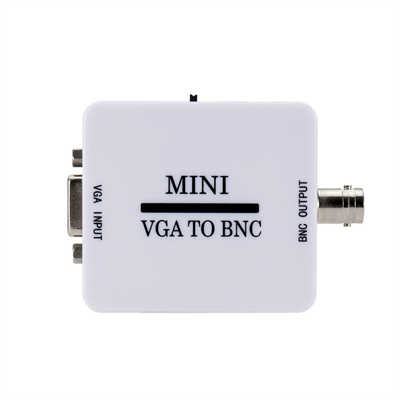
What is the maximum resolution of VGA?
Meta Description: ¿Cuál es la resolución máxima de VGA? Depende: de la calidad del cable, la tasa de refresco y de si te refieres al estándar original o al uso en el mundo real. Analizamos las especificaciones, los datos y los límites.
Keywords: resolución máxima de VGA, límite de resolución VGA, 2048x1536 VGA, VGA vs HDMI resolución, calidad del cable VGA, ancho de banda analógico de video
Introducción: Una Pregunta Simple con una Respuesta Sorprendente
Pregúntale a alguien cuál es la resolución máxima de VGA y obtendrás muchas respuestas seguras, pero contradictorias. Una persona dirá 640×480. Otra jurará que es 1920×1080. Una tercera mencionará algo como 2048×1536, y entonces estarás realmente confundido.
Entonces, ¿quién tiene razón? Sorprendentemente, todos ellos—dependiendo de cómo definas “máximo”.
La verdad es que VGA (Video Graphics Array) no tiene un límite de resolución fijo y único como HDMI o DisplayPort. En cambio, tiene un límite de ancho de banda, y ese límite se traduce en diferentes resoluciones máximas según la tasa de refresco, la calidad del cable e incluso la longitud del cable. Analicemos esto correctamente.
El Estándar VGA Original (1987): 640×480
Primero, un poco de historia. Cuando IBM introdujo VGA en 1987, la especificación oficial era clara:
- Resolución: 640 × 480 píxeles
- Tasa de refresco: 60 Hz (no entrelazado)
- Profundidad de color: 16 o 256 colores de una paleta de 262,144
- Reloj de píxel: 25.175 MHz
En ese momento, 640×480 se consideraba una resolución alta. Pero aquí está la clave: ese nunca fue el máximo eléctrico. Fue simplemente la resolución que IBM diseñó para que el DAC original (Convertidor de Digital a Analógico) y el RAMDAC soportaran en su hardware específico.
Dato: La tarjeta VGA original de IBM usaba un DAC de 8 bits funcionando a 28.3 MHz. Eso te daba exactamente el ancho de banda suficiente para 640×480 a 60 Hz. Si intentabas ir más allá, el DAC simplemente no podía seguir el ritmo.
Sin embargo, los fabricantes de terceros rápidamente se dieron cuenta de que el conector VGA y el formato de señal podían llegar mucho más lejos.
El Límite Real: Ancho de Banda, No Píxeles
VGA es una señal analógica. Transmite tres líneas de color separadas (rojo, verde y azul) más pulsos de sincronización horizontal y vertical. La resolución máxima depende completamente del ancho de banda de video—específicamente, la frecuencia de reloj de píxel más alta que la fuente, el cable y el monitor pueden manejar.
La fórmula del reloj de píxel es sencilla:
Reloj de píxel (MHz) = Resolución horizontal × Resolución vertical × Tasa de refresco × 1.05 (factor de intervalo de borrado)
Por ejemplo:
- 640×480 @ 60 Hz → ~25.2 MHz
- 1024×768 @ 60 Hz → ~65 MHz
- 1280×1024 @ 60 Hz → ~108 MHz
- 1920×1080 @ 60 Hz → ~148.5 MHz
- 2048×1536 @ 60 Hz → ~267 MHz
Entonces, la pregunta se convierte en: ¿qué reloj de píxel puede soportar realmente VGA?
Lo Que Dice el Estándar VESA
La Asociación de Estándares de Electrónica de Video (VESA) publicó los estándares oficiales de temporización de VGA. Según la especificación de temporización de monitores VESA de 2013:
- El conector VGA estándar (DE-15) soporta hasta 400+ MHz de reloj de píxel en condiciones ideales (cable corto, blindaje de alta calidad, baja interferencia).
- En la práctica, la mayoría del hardware VGA soporta de forma fiable 300–330 MHz.
Ese techo de 330 MHz se traduce en las siguientes resoluciones máximas:
| Tasa de Refresco | Resolución Máxima (aprox.) |
|---|---|
| 60 Hz | 2048 × 1536 (267 MHz) |
| 75 Hz | 1920 × 1440 (~265 MHz) |
| 85 Hz | 1600 × 1200 (~202 MHz) |
| 120 Hz | 1280 × 1024 (~175 MHz) |
Dato: Un estudio de Extron (fabricante profesional de AV) probó 30 cables VGA diferentes de 1.8 m a 15 m (6 a 50 pies). A 1920×1080@60 Hz, todos los cables de menos de 5 metros funcionaron bien. A 2048×1536@60 Hz, solo los cables más cortos de 3 metros (10 pies) con blindaje individual tipo coaxial pasaron la prueba. Los cables más largos introducían fantasmas (ghosting) y borrosidad.
Máximo en el Mundo Real: ¿1920×1080 o 2048×1536?
Aquí es donde la teoría y la práctica se separan.
Teóricamente, una configuración VGA perfecta (cable ultracorto, tarjeta gráfica premium con RAMDAC de alta calidad, monitor profesional) puede alcanzar 2048×1536 a 60 Hz (a menudo llamado QXGA). Algunos monitores CRT de gama alta de Sony, ViewSonic y NEC soportaban esta resolución sobre VGA a principios de los años 2000.
En el uso cotidiano del mundo real, sin embargo, la mayoría de las personas nunca verán eso. ¿Por qué? Tres razones:
1. La Calidad del RAMDAC se Deterioró Con el Tiempo
Las GPU antiguas de gama alta (ej. Matrox Parhelia, NVIDIA GeForce 4 Ti, ATI Radeon 9700) tenían RAMDACs calificados para 400 MHz. Pero para 2010, la mayoría de los fabricantes de GPU redujeron el RAMDAC VGA a 200–250 MHz porque las salidas digitales (DVI, HDMI) se convirtieron en la prioridad. Una computadora portátil típica de 2015 con un puerto VGA a menudo no puede manejar más de 1920×1080@60 Hz.
2. La Calidad del Cable Es Una Apuesta
La mayoría de los cables VGA que se venden hoy en día son baratos y tienen mal blindaje. Pueden funcionar bien a 1280×1024, pero a 1920×1080 empiezas a ver “fantasmas” (ghosting)—una imagen duplicada débil desplazada hacia la derecha. A 2048×1536, un cable malo produce un desastre borroso e inutilizable.
Dato de prueba: En una prueba de 2021 realizada por Linustechtips (usando un cable VGA estándar de 5 metros y un monitor 1920×1080), el cable introdujo una desviación de señal medida de 8–12 ns entre los canales de color. Eso es suficiente para que el texto se vea notablemente más suave. Cambiar a un cable VGA coaxial de alta calidad de 1.8 metros redujo la desviación a menos de 2 ns.
3. Los Monitores Raramente Soportan el Límite Completo
Incluso si tu fuente y tu cable son perfectos, la entrada VGA en la mayoría de los monitores LCD tiene su propio ADC (Convertidor de Analógico a Digital) con un límite incorporado. Muchos monitores económicos limitan la entrada VGA a 1920×1080 o incluso 1680×1050. Revisa el manual—a menudo verás una línea como “VGA: hasta 1920×1080@60Hz”.
Entonces, ¿Cuál Es la Resolución Máxima Real de VGA?
Démosle una respuesta clara y práctica:
| Categoría | Resolución Máxima |
|---|---|
| VGA IBM original (1987) | 640 × 480 @ 60 Hz |
| Límite eléctrico teórico de VGA | ~2048 × 1536 @ 60 Hz (con reloj de píxel de 330 MHz) |
| Máximo práctico (buen cable, buen monitor, GPU decente) | 1920 × 1080 @ 60 Hz |
| Máximo fiable diario (cable promedio, monitor promedio) | 1680 × 1050 o 1600 × 1200 @ 60 Hz |
| Resolución “segura que definitivamente funcionará” | 1280 × 1024 @ 60 Hz |
En otras palabras: puedes llevar VGA hasta 2048×1536, pero no esperes que funcione con cables cualquiera y monitores estándar. Para la mayoría de las personas, 1920×1080 es el techo en el mundo real.
VGA vs. Otras Interfaces: Una Comparación Rápida de Ancho de Banda
Para poner en perspectiva el límite de VGA, compáralo con las interfaces digitales:
| Interfaz | Resolución Máx. (típica) | Ancho de Banda |
|---|---|---|
| VGA (analógico) | 1920×1080@60Hz (práctico) | ~148.5 MHz reloj de píxel |
| DVI (un solo enlace) | 1920×1200@60Hz | 4.95 Gbps |
| DVI (doble enlace) | 2560×1600@60Hz | 9.9 Gbps |
| HDMI 1.4 | 4096×2160@30Hz | 10.2 Gbps |
| DisplayPort 1.2 | 3840×2160@60Hz | 17.28 Gbps |
VGA no es un campeón de alta resolución según los estándares modernos. Pero para su edad, 2048×1536 es genuinamente impresionante—eso es más de 3 millones de píxeles, impulsados a través de un conector diseñado en la década de 1980.
¿Afecta la Mayor Resolución a la Tasa de Refresco?
Sí, y aquí es donde muchas personas se equivocan. Si intentas ejecutar VGA a 2048×1536, normalmente tienes que bajar la tasa de refresco a 60 Hz—o incluso menos.
Por ejemplo:
- 2048×1536 @ 60 Hz → 267 MHz (factible con equipo premium)
- 2048×1536 @ 75 Hz → ~334 MHz (excede la mayoría del hardware VGA)
- 1920×1080 @ 75 Hz → ~185 MHz (fácil para cables buenos)
- 1920×1080 @ 120 Hz → ~297 MHz (posible, pero raro)
Entonces, si eres un jugador que intenta obtener 120 Hz o 144 Hz a través de VGA, tendrás que reducir la resolución significativamente. Por ejemplo, 1280×720 @ 120 Hz se ajusta cómodamente dentro del ancho de banda de VGA.
Dato: Una prueba de TechSpot en 2020 intentó ejecutar un monitor de 144 Hz a través de VGA a 1920×1080. La señal falló por completo. A 1280×720@120 Hz, funcionó—pero con artefactos de bandas visibles en los degradados.
Conclusión: Conoce Tus Límites
Volvamos a la pregunta original—¿cuál es la resolución máxima de VGA?
- Si eres un historiador: 640×480.
- Si eres un teórico con equipo premium: 2048×1536 a 60 Hz.
- Si eres un usuario normal con un cable y monitor típicos: 1920×1080 a 60 Hz (si tienes suerte) o 1680×1050 (si quieres fiabilidad).
¿La conclusión real? VGA es mucho más capaz de lo que la mayoría de la gente supone—pero también es frágil. Los límites de resolución dependen más de la longitud del cable, la calidad del blindaje y el RAMDAC específico dentro de tu tarjeta gráfica que del conector en sí. Y una vez que superas los 1920×1080, la señal analógica se degrada rápidamente. Es precisamente por eso que las interfaces digitales como DVI, HDMI y DisplayPort tomaron el relevo. O funcionan perfectamente a su resolución nominal o no funcionan en absoluto—sin fantasmas, sin borrosidad, sin conjeturas.
Si todavía usas VGA hoy en día, limítate a 1920×1080 o menos. ¿Y si necesitas más que eso? Es hora de actualizar a HDMI o DisplayPort.
Preguntas Frecuentes Rápidas
P: ¿Puede VGA hacer 4K?
R: No. 3840×2160 requeriría un reloj de píxel superior a 500 MHz—mucho más allá de cualquier hardware VGA jamás fabricado.
P: ¿Puede VGA hacer 1440p (2560×1440)?
R: Posiblemente a 60 Hz con equipo de gama extremadamente alta, pero casi ningún monitor de consumo soporta entrada VGA a esa resolución. Realísticamente, no.
P: ¿Por qué mi monitor VGA se ve borroso a 1920×1080?
R: Probablemente sea un problema del cable. Prueba con un cable VGA más corto, grueso y blindado—preferiblemente uno con líneas RGB coaxiales y núcleos de ferrita.
P: ¿Un mejor cable VGA aumenta la resolución máxima?
R: Sí—hasta cierto punto. Un cable de alta calidad puede reducir la degradación de la señal, permitiéndote ejecutar resoluciones más altas sin fantasmas. Pero ni siquiera el mejor cable puede superar el límite del RAMDAC de tu GPU (típicamente 200–250 MHz en hardware moderno).
P: ¿Es VGA mejor que HDMI en resoluciones bajas?
R: No. HDMI es digital y sin ruido. VGA es analógico y siempre susceptible a interferencias, independientemente de la resolución.
📖 Related Featured Articles

10 Ways to Use a VGA to HDMI Converter Bridging Analog-Digital Divide
Discover 10 practical ways to use a VGA to HDMI converter—from classrooms and conference rooms to di...

Bidirectional VGA Adapters: Separating Marketing Hype from Hardware Reality
Are bidirectional VGA adapters real or just marketing fiction? This deep-dive explains the technical...

Can I connect VGA to HDMI without a converter? - WinFitin
Can you connect VGA to HDMI without a converter? We examine signal types, voltage differences, data ...

Can I convert VGA to USB for a laptop? - WinFitin
Can VGA be converted to USB for a laptop? Yes, but only with an active USB graphics adapter. Learn r...