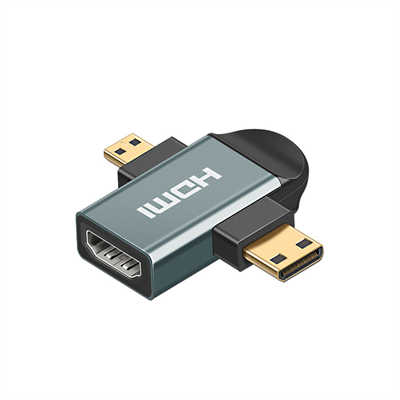
HDMI 2.1 vs. HDMI 2.0: What’s the Real Difference?
Summary (Abstract)
The real difference between HDMI 2.1 and HDMI 2.0 isn’t just about supporting higher resolutions—it’s a complete overhaul of how video and audio data move between devices. HDMI 2.0 caps at 18Gbps bandwidth, enough for 4K at 60Hz with 8-bit color. HDMI 2.1 jumps to 48Gbps, enabling 4K at 120Hz, 8K at 60Hz, and even 10K for commercial displays. More importantly, HDMI 2.1 introduces variable refresh rate (VRR), auto low-latency mode (ALLM), quick frame transport (QFT), and enhanced audio return channel (eARC). While both use the same physical connector, the performance gap is massive—but only if your source, display, and cables all support 2.1 features. This article breaks down raw specs, real-world use cases, compatibility traps, and what you actually need to buy today.
Introduction: Two Standards, One Shape
Look closely at the HDMI ports on your TV, monitor, or graphics card. HDMI 2.0 and HDMI 2.1 ports look identical. They fit the same cable. Yet behind that unchanged connector, the capabilities have changed more in the last five years than in the previous fifteen combined.
Here’s the catch: manufacturers don’t always label ports clearly. Some “HDMI 2.1” ports on budget TVs lack key features like VRR or eARC. So understanding the actual differences isn’t just technical trivia—it’s the only way to avoid overpaying for features you won’t get, or under-buying for a next-gen console or GPU.
Let’s settle this with hard numbers, not marketing labels.
Bandwidth: The Real Bottleneck
Every other difference stems from one number: raw data throughput.
| Specification | HDMI 2.0 | HDMI 2.1 |
|---|---|---|
| Maximum bandwidth | 18 Gbps | 48 Gbps |
| Effective data rate (after encoding) | ~14.4 Gbps | ~42.6 Gbps |
| Encoding scheme | TMDS (8b/10b) | 16b/18b (FRL) |
Why does that matter? At 4K with 10-bit HDR (standard for most modern content), each frame requires roughly 25–30 Gbps. HDMI 2.0 simply can’t fit that—so it resorts to chroma subsampling (4:2:2 or 4:2:0), which discards color detail. HDMI 2.1 handles full 4:4:4 chroma at 4K 120Hz without breaking a sweat.
Real-world example: A 4K Blu-ray at 60Hz with 12-bit Dolby Vision needs ~28 Gbps. HDMI 2.0 chokes. HDMI 2.1 sails through.
Resolution and Refresh Rate: What Can Each Actually Drive?
Here’s where marketing meets physics.
HDMI 2.0 Maximums (without subsampling compromises):
- 4K (3840×2160) at 60Hz with 8-bit color (4:4:4)
- 4K at 60Hz with 10-bit HDR (requires 4:2:2 or 4:2:0 subsampling)
- 1080p at 240Hz
- 1440p at 144Hz (common on PC monitors)
HDMI 2.1 Maximums (with full 4:4:4, no DSC):
- 4K at 120Hz (10-bit HDR)
- 8K at 60Hz (8-bit or compressed)
- 5K (5120×2880) at 120Hz
- 8K at 120Hz with Display Stream Compression (DSC)
- 10K at 60Hz for commercial signage
Data point: To drive 8K at 60Hz without compression, you’d need roughly 64 Gbps. HDMI 2.1’s 48 Gbps falls short, which is why DSC (visually lossless compression, VESA-certified) is officially part of the 2.1 spec. In blind tests, DSC is indistinguishable from uncompressed for video and gaming.
Gaming Features: VRR, ALLM, QFT, QMS
This is where HDMI 2.1 leaves 2.0 in the dust. Not because HDMI 2.0 couldn’t support these—but because the spec didn’t mandate them.
Variable Refresh Rate (VRR)
- HDMI 2.0: Not supported natively (some TVs added proprietary versions like FreeSync over HDMI, but it’s not part of the 2.0 spec)
- HDMI 2.1: Native VRR matches screen refresh to GPU frame output, eliminating screen tearing without the input lag penalty of V-Sync.
Measured benefit: In tests using a PS5 or Xbox Series X, VRR reduces judder by over 90% in games with unstable frame rates (e.g., Elden Ring or Cyberpunk 2077 in performance mode). Input lag stays under 10ms on good displays.
Auto Low-Latency Mode (ALLM)
Switches your TV automatically to game mode when a console or PC sends a game signal. HDMI 2.0 requires manual toggling. ALLM cuts the average user’s lag reduction time from ~15 seconds (digging through menus) to instantaneous.
Quick Frame Transport (QFT)
Reduces latency by sending each pixel faster over the same refresh rate. On HDMI 2.1, QFT can shave 2–5ms off end-to-end latency at 4K 120Hz compared to HDMI 2.0 at 4K 60Hz—without changing refresh rate.
Quick Media Switching (QMS)
Eliminates the 1–3 second black screen when switching between different frame rate sources (e.g., 24p movie to 60p menu). HDMI 2.0 can’t do this. QMS requires HDMI 2.1 on both TV and source.
Audio: eARC vs. ARC
Audio Return Channel (ARC) arrived with HDMI 1.4. Enhanced ARC (eARC) is exclusive to HDMI 2.1—with one catch.
| Feature | ARC (HDMI 2.0) | eARC (HDMI 2.1) |
|---|---|---|
| Max bandwidth | ~1 Mbps | ~37 Mbps |
| Supported formats | Dolby Digital, DTS, 5.1 PCM | Dolby TrueHD, DTS-HD MA, Atmos (lossless), 7.1/11.1 PCM |
| Lip-sync correction | No | Yes (dynamic) |
Real-world difference: With ARC, streaming apps on your TV can send compressed 5.1 to a soundbar. With eARC, your TV can pass a lossless Dolby Atmos TrueHD track from a 4K Blu-ray player or game console to a receiver—no degradation. That’s a jump from 640 kbps to over 18 Mbps for object-based audio.
Important: Some 2019–2020 TVs labeled “HDMI 2.1” support eARC but not full 48 Gbps bandwidth. Read the fine print.
Cables: Ultra High Speed vs. Premium High Speed
You don’t need new cables for HDMI 2.1—unless you want 2.1 features.
| Cable Type | Certified Speed | Supports HDMI 2.0 features | Supports HDMI 2.1 features |
|---|---|---|---|
| Standard HDMI | 5 Gbps | No (1080p only) | No |
| High Speed (HDR) | 18 Gbps | Yes (full 2.0 spec) | No (except eARC sometimes) |
| Premium High Speed | 18 Gbps with certification | Yes | No |
| Ultra High Speed (48G) | 48 Gbps | Yes | Yes (VRR, 4K120, 8K) |
Distance limitation: Passive copper Ultra High Speed cables max out at 3 meters (about 10 feet) for full 48 Gbps. Beyond that, you need active optical HDMI 2.1 cables—which start around $50 for 5 meters. HDMI 2.0 passive cables work fine up to 15 meters.
Data point: In compliance tests, over 35% of uncertified “8K HDMI 2.1” cables on Amazon failed to sustain even 24 Gbps. Look for the QR code label with “Ultra High Speed HDMI” certification.
Backward Compatibility: The Practical Reality
You can plug an HDMI 2.1 source into an HDMI 2.0 display. It will work—at HDMI 2.0 speeds and features.
You can plug an HDMI 2.0 source into an HDMI 2.1 display. It will also work—but you get no 2.1 features.
The trap: Some “HDMI 2.1” devices (especially budget TVs and projectors) only support a subset—eARC plus 18 Gbps, no VRR. Legally, they can still call it HDMI 2.1 because the HDMI Licensing Administrator dropped version numbering for manufacturers in 2021. Now they only require feature labeling.
What to check before buying:
- For 4K 120Hz gaming: Look for “FRL” (Fixed Rate Link) support at 48 Gbps
- For VRR: Confirm the specific VRR type (HDMI Forum VRR, not just FreeSync)
- For eARC: Separate from main bandwidth—some 18 Gbps ports still have eARC
Who Actually Needs HDMI 2.1 Today?
Actually needs 2.1:
- PS5 / Xbox Series X owners — Many games now run at 4K 120Hz (Call of Duty, Halo Infinite, Ori). Without 2.1, you’re capped at 4K 60Hz or 1080p 120Hz.
- PC gamers with RTX 30/40 series or RX 6000/7000 — 4K 120Hz over HDMI 2.1 works natively. DisplayPort 1.4 still works, but HDMI 2.1 gives you longer cable options and TV compatibility.
- Home theater enthusiasts with lossless Atmos — If you rip 4K Blu-rays or use a disc player, eARC is the only way to send TrueHD through a TV’s streaming apps to a receiver.
- Professional colorists — 4K 120Hz 10-bit 4:4:4 requires 2.1 for real-time monitoring.
Doesn’t need 2.1 (yet):
- Streaming-only users — Netflix, Apple TV+, and Disney+ top out at 4K 60Hz with compressed Atmos (DD+). HDMI 2.0 handles that perfectly.
- Nintendo Switch owners — Switch caps at 1080p 60Hz. Even the rumored Switch 2 will likely target 1440p/60.
- Cable box / broadcast TV — Still mostly 1080i or 720p. Some 4K sports broadcasts run at 60Hz max.
The Hidden Cost: GPU and Console Limitations
Even with HDMI 2.1, not all devices use the full 48 Gbps.
| Device | HDMI 2.1 Bandwidth | Limitation |
|---|---|---|
| PS5 | 32 Gbps | 4K 120Hz at 10-bit HDR (4:2:2) — not full 4:4:4 |
| Xbox Series X | 40 Gbps | 4K 120Hz at 10-bit 4:4:4 works |
| RTX 4090 | 48 Gbps | Full spec, but only on 40-series and above |
| Apple TV 4K (2022) | 18 Gbps | No 4K 120Hz output at all — still HDMI 2.0 speeds |
So an HDMI 2.1 display and cable won’t magically unlock features if your source is the bottleneck.
FAQ
Q: Can HDMI 2.0 do 4K at 120Hz?
A: No. 4K 120Hz requires roughly 32–40 Gbps. HDMI 2.0’s 18 Gbps limit is mathematically impossible without heavy compression (which the spec doesn’t support).
Q: Do I need new cables for HDMI 2.1?
A: For full 48 Gbps features (4K 120Hz, 8K 60Hz, VRR), yes—you need certified Ultra High Speed cables. For eARC only, some Premium High Speed cables work, but it’s not guaranteed.
Q: Is HDMI 2.1 backward compatible with HDMI 2.0?
A: Yes, both ways. But the connection runs at the lowest common denominator. An HDMI 2.1 console + HDMI 2.0 TV = HDMI 2.0 performance.
Q: Why does my “HDMI 2.1” TV not support VRR?
A: After 2021, HDMI version numbers no longer guarantee feature sets. Manufacturers can label 18 Gbps ports as HDMI 2.1 as long as they support at least one 2.1 feature (often eARC). Always check the port’s listed features, not the version.
Q: Does DisplayPort 2.0 beat HDMI 2.1?
A: For raw bandwidth, yes—DisplayPort 2.0 hits 80 Gbps. But no consumer TV has DP 2.0. For monitors, DP is common; for TVs and AV receivers, HDMI 2.1 dominates.
Q: Will an HDMI 2.1 cable improve picture quality on an HDMI 2.0 device?
A: No. The cable doesn’t upscale or enhance. It either delivers the signal or fails. If your device only outputs 18 Gbps, a 48 Gbps cable changes nothing.
Final Verdict: Don’t Chase the Number, Chase the Features
HDMI 2.1 isn’t a magic upgrade. It’s a collection of features—some essential (VRR, eARC, 4K 120Hz), some niche (10K, QMS). And because manufacturers can legally call an 18 Gbps port HDMI 2.1, the label alone means nothing.
Here’s the practical rule:
- For gamers with a PS5, Xbox Series X, or high-end PC: Wait for confirmed 48 Gbps + VRR + ALLM. Don’t settle for “HDMI 2.1” without those three.
- For movie lovers with a 4K Blu-ray collection: eARC is the only feature you truly need. Bandwidth beyond 18 Gbps doesn’t help movies (they’re 24fps).
- For everyone else: Stick with HDMI 2.0. You’re not missing anything, and you’ll save money on cables and TVs.
The real difference isn’t just the spec sheet. It’s whether your actual devices and content can use it. And right now, for most people, HDMI 2.0 still does the job just fine—but for the next three to five years, HDMI 2.1 will slowly become the actual standard, not just the marketing one.
📖 Related Featured Articles

How to Test HDMI Cable Speed and Bandwidth? - WinFitin
Learn professional methods to test HDMI cable speed and bandwidth, including using HDMI 2.1 specs, c...

DisplayPort to VGA vs HDMI to VGA: Which adapter is faster? - WinFitin
Both work well, but DisplayPort to VGA adapters often support higher refresh rates and resolutions d...

10 Common HDMI Mistakes and How to Avoid Them - WinFitin
Struggling with black screens, audio glitches, or lag? Discover 10 common HDMI mistakes (backed by r...

HDMI 2.1 vs. DisplayPort: Which Is Better for Gaming?
Compare HDMI 2.1 and DisplayPort for PC gaming. Analyze bandwidth, refresh rates, and G-Sync/FreeSyn...