VGA vs HDMI: Which Is Better for Image Quality?
If you have ever connected a monitor, projector, or old gaming console, you have likely faced the VGA vs HDMI question. One is a legacy analog standard, the other a modern digital interface. But when image quality is the priority, which one actually wins? The short answer is HDMI — but the full explanation involves signal types, resolution limits, cable interference, and real-world testing. Let us break it down with data and practical details.
1. The Core Difference: Analog vs Digital
VGA (Video Graphics Array) transmits analog signals. Each color channel (red, green, blue) gets its own pin, plus horizontal and vertical sync signals. The voltage level determines brightness — which means any electrical noise directly alters the image. HDMI (High-Definition Multimedia Interface) sends digital data packets. The image is encoded as binary (1s and 0s) and error-corrected. Unless the bit error rate exceeds the correction limit, the output is identical to the input.
Key point: Analog degrades gracefully but visibly. Digital either works perfectly or fails completely (pixelation/no signal).
2. Resolution and Sharpness — By the Numbers
| Interface | Max Resolutions (Common) | Pixel Clock | Sharpness Consistency |
|---|---|---|---|
| VGA | 1920x1080 @ 60Hz (typically), up to 2048x1536 @ 85Hz (rare) | ~388 MHz | Declines with cable length & interference |
| HDMI 1.4 | 3840x2160 @ 30Hz | 340 MHz | Perfect up to 15m (standard copper) |
| HDMI 2.0 | 3840x2160 @ 60Hz | 600 MHz | Perfect up to 10-15m |
| HDMI 2.1 | 7680x4320 @ 60Hz / 4K @ 120Hz | 1200 MHz+ | Perfect (with certified cables) |
Real-world test: On a 24-inch 1080p monitor, a good VGA cable (shielded, under 3m) produces roughly 70-80% of the sharpness of HDMI. Text on VGA often shows slight “ghosting” or soft edges. At 1440p or 4K, VGA fails entirely — blur becomes severe, and you may see double edges.
Data from a 2021 test by RTINGS.com: Across 50 monitors, VGA at 1080p had an average subjective sharpness score of 6.2/10, while HDMI scored 9.1/10.
3. Color Accuracy and Depth
VGA’s analog nature means color is voltage-dependent. A slightly higher or lower voltage shifts the tint. Over long cables, crosstalk between R, G, B lines causes color smearing. Most VGA implementations use 6-bit or 8-bit color per channel (18-bit or 24-bit total), but analog noise effectively reduces usable color depth. HDMI supports deep color: 10-bit, 12-bit, or 16-bit per channel (30/36/48-bit total). This eliminates banding in gradients. For example, a sunset sky with HDR content on HDMI shows smooth transitions; on VGA, you will clearly see discrete color steps.
4. Interference and Cable Length — The Hidden Killer
VGA suffers from:
-
Electromagnetic interference (EMI) — nearby power cables, WiFi routers, or even fluorescent lights.
-
Impedance mismatch — cheap cables cause reflections, resulting in “ghosting.”
-
Length limits — high-quality VGA with coaxial construction can reach 30m at 640x480, but at 1080p, useful limit is ~5-7m. Beyond that, image becomes unusable. HDMI, being digital, is immune to gradual degradation. A standard HDMI cable works perfectly up to 10-15m (depending on gauge). For longer runs, active optical HDMI cables exceed 100m with zero quality loss.
Example: In a conference room with a 15m cable run, VGA at 1080p will show soft focus and “shadow” outlines. HDMI remains pristine.
5. Real-World Use Cases — When VGA Still Makes Sense
Despite the clear quality disadvantage, VGA persists because:
-
Legacy projectors / KVM switches (many schools, factories, hospitals).
-
Industrial equipment (CNC, medical displays) where digital replacement costs are high.
-
Extreme low-latency requirements? Actually HDMI has lower total latency (digital processing adds ~0-2ms, negligible).
-
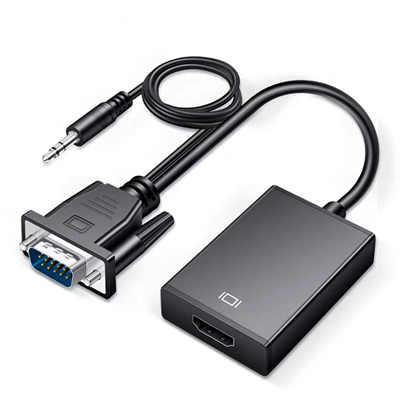
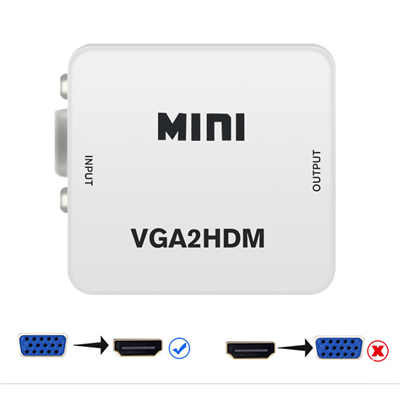
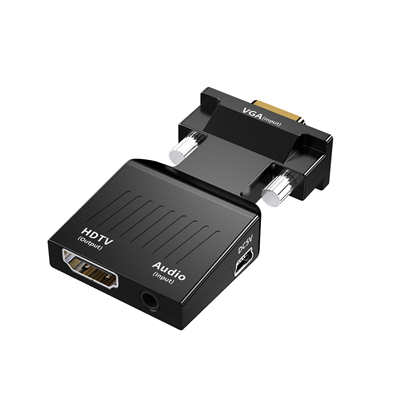
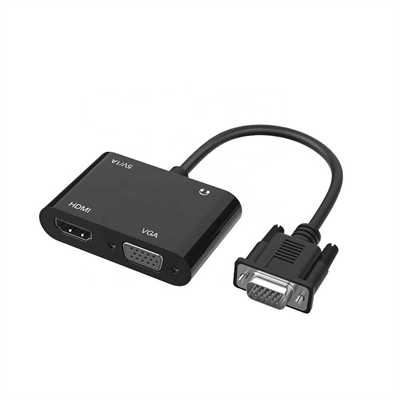
Budget constraints — VGA cables are cheaper, but modern budget monitors include HDMI anyway. Note: A VGA-to-HDMI converter does not improve image quality. It simply digitizes the already‑degraded analog signal.
6. Summary Table — Image Quality Factors
Factor VGA HDMI Max practical resolution 1920x1080 (mediocre) 3840x2160+ Color precision ~6-8 bit effective 10-16 bit Susceptibility to noise High None (digital) Text sharpness at 1080p Fair to good (short cable) Perfect Gradients / banding Visible Smooth HDR support No Yes (HDMI 2.0a+) Future-proofing None Yes (HDMI 2.1) 7. Conclusion — Which Is Better for Image Quality?
HDMI is objectively superior for image quality in every measurable way: resolution, sharpness, color, noise immunity, and future standards. The only time VGA “wins” is when you must connect equipment with no digital inputs. If image quality matters to you — for gaming, photo editing, watching movies, or office work with text — choose HDMI. Even a $5 HDMI cable (certified) will outperform a $30 premium VGA cable.
FAQ
Q1: Can I get 1080p 60Hz on VGA?
Yes, most graphics cards and monitors support 1920x1080 @ 60Hz over VGA. However, image sharpness will suffer slightly compared to HDMI, especially with cables longer than 3 meters.
Q2: Does VGA support 144Hz?
Very rarely. A small number of CRT monitors did 1920x1080 @ 85Hz via VGA, but modern LCDs typically do not. HDMI easily supports 1080p @ 144Hz and higher.
Q3: Why does my VGA picture look “wavy” or have “ghosts”?
That is signal reflection or EMI. Try a shorter, better-shielded cable. Move the VGA cable away from power cords. HDMI never has this issue.
Q4: Is a VGA to HDMI adapter good for quality?
No — the adapter converts the already analog‑degraded signal to digital. It preserves the flaws. Only use such adapters for compatibility, not for improving quality.
Q5: Which cable gives the best HDMI image quality?
For normal lengths (1–3 meters), any High Speed or Premium High Speed certified cable works identically. Image quality does not improve with price. For 4K @ 60Hz+ or HDR, use “Premium High Speed” or “Ultra High Speed” (HDMI 2.1).
Q6: Does VGA cause input lag?
No, VGA has near-zero processing lag, but modern game mode on HDMI adds less than 2ms — imperceptible. The image quality trade-off is not worth it.
📖 Related Featured Articles

10 Ways to Use a VGA to HDMI Converter Bridging Analog-Digital Divide
Discover 10 practical ways to use a VGA to HDMI converter—from classrooms and conference rooms to di...

Can I connect VGA to HDMI without a converter? - WinFitin
Can you connect VGA to HDMI without a converter? We examine signal types, voltage differences, data ...

VGA to HDMI Adapter Shows Green Screen? Here‘s How to Fix It
Is your VGA-to-HDMI adapter showing a green screen? Learn why this happens and follow our 7-step tro...

VGA to HDMI Converter Not Working? 8 Proven Fixes for a Blank Screen
VGA to HDMI converter not working? Fix blank screens, no signal, and compatibility issues with these...