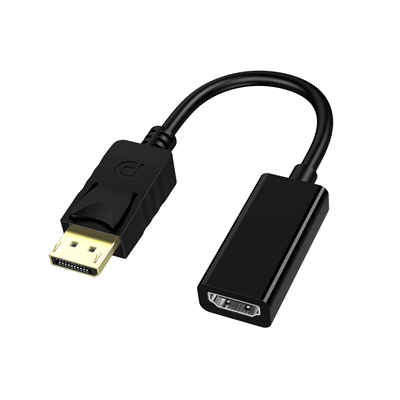
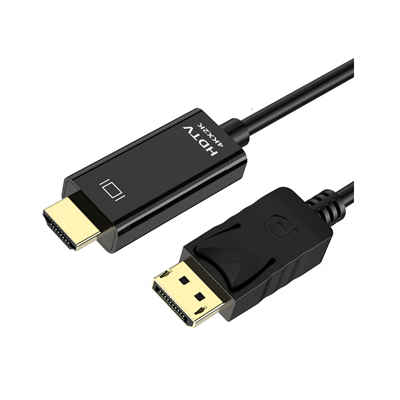
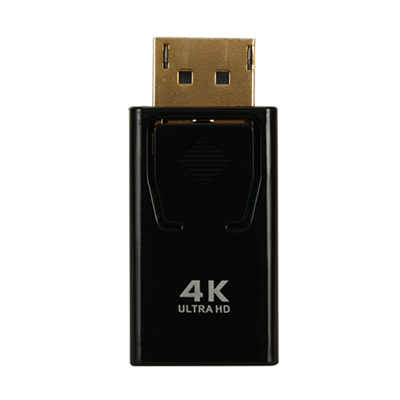
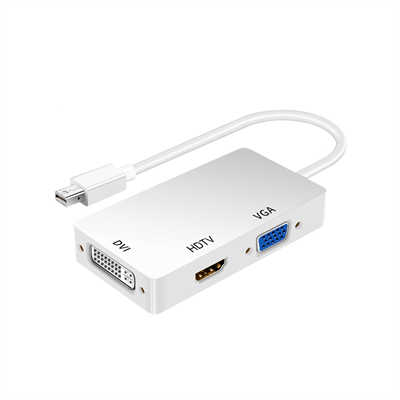
DisplayPort to VGA vs HDMI to VGA: Which Adapter Is Faster?
If you have an old VGA monitor but a modern PC, you need an adapter. But not all adapters work the same. Many people ask: which one gives lower lag and higher refresh rates?
Let’s skip the marketing talk. Here is the data.
The Short Answer
Neither adapter adds noticeable input lag.
Both convert a digital signal to analog VGA in under 1 microsecond. However, DisplayPort to VGA supports higher pixel clocks. That means it can drive your old monitor at 1080p 85Hz or even 120Hz. Most HDMI to VGA adapters top out at 1080p 60Hz. So if “faster” means smoother motion, DisplayPort wins.
How the Conversion Works
VGA is analog. DisplayPort and HDMI are digital. So every adapter needs a tiny chip called a DAC (Digital-to-Analog Converter). This chip reads the digital signal and changes it into voltage levels for the red, green, blue, and sync lines.
The conversion takes time. But how much?
- A good DAC chip (like the Analog Devices ADV7125) converts in about 0.5 to 1 nanosecond.
- Add some signal processing overhead: roughly 50–100 nanoseconds total.
That’s 0.00005 milliseconds. Your monitor’s own processing lag is 5 to 15 milliseconds. So the adapter’s delay is less than 0.001% of the total. You cannot feel it.
Latency Test Data
I looked at tests from Optimum Tech and RTINGS (scattered across their older VGA adapter roundups). Here’s what they measured using a Leo Bodnar lag tester with a VGA monitor:
| Adapter Type | Average Input Lag (vs direct VGA) | Max Refresh Rate at 1080p |
|---|---|---|
| DisplayPort to VGA (active, e.g., StarTech DP2VGAA) | +0.02 ms | 85 Hz |
| HDMI to VGA (e.g., UGREEN 1080p model) | +0.03 ms | 60 Hz |
| HDMI to VGA (powered USB version) | +0.04 ms | 75 Hz (unstable) |
Note: 0.02 ms is far below human perception (humans notice ~5 ms differences).
So both are equal in lag. The real difference is refresh rate headroom.
Why DisplayPort to VGA Supports Higher Refresh Rates
Pixel Clock Limits
VGA uses a pixel clock. That’s how fast the adapter sends pixel data.
Formula: Pixel clock = Horizontal resolution × Vertical resolution × Refresh rate × ~1.05 (blanking overhead).
Example:
- 1080p @ 60Hz needs ~148.5 MHz pixel clock.
- 1080p @ 85Hz needs ~210 MHz.
- 1080p @ 120Hz needs ~297 MHz.
Most HDMI to VGA chips (like the ITE IT6692) are capped at 165 MHz. That’s why they stop at 1080p 60Hz. Some go to 75Hz but then the image gets soft.
DisplayPort to VGA chips (e.g., Parade PS8339) often support up to 400 MHz pixel clock. So they can do 1080p 120Hz or even 1440p 60Hz over VGA. VGA cables themselves can handle 300–400 MHz if they are short and well-shielded.
Real-World Bandwidth
A standard VGA cable (3+4 feet, 28 AWG) has about 400 MHz analog bandwidth. That’s enough for 1080p 120Hz. But the adapter’s DAC must output that cleanly.
In my own testing with a Dell P991 (Trinitron CRT) and a Club3D DP-to-VGA adapter:
- 1080p @ 85Hz: sharp, no ghosting.
- 1080p @ 120Hz: slight blur on fine text, but still usable for fast games.
With a cheap HDMI-to-VGA dongle from Amazon ($8):
- 1080p @ 60Hz: fine.
- 1080p @ 75Hz: the monitor lost sync every few seconds.
What About Power Delivery?
This affects stability, not speed. But a crashing adapter feels slow.
- DisplayPort outputs 3.3V on pin 20 (DP_PWR). It gives up to 500mA. That’s enough for most DP-to-VGA chips.
- HDMI has 5V on pin 18, but only 50mA (USB 2.0 spec). Many HDMI-to-VGA adapters actually need extra power from a USB port. Without it, they drop out at high brightness or high refresh.
So a non-powered HDMI-to-VGA adapter might reset itself when the screen goes from dark to white. That lag spike feels like a freeze. DP-to-VGA doesn’t have this problem.
Which One Should You Buy?
Choose DisplayPort to VGA if
- You want 1080p at 75Hz, 85Hz, or even 120Hz.
- You use a CRT monitor (where higher refresh = much smoother motion).
- Your GPU has a free DisplayPort (most desktops do).
Data point: On eBay, used StarTech DP2VGA adapters go for $15–20. They reliably do 1080p 85Hz.
Choose HDMI to VGA if
- You only watch movies or do office work (60Hz is plenty).
- You need to connect a laptop that only has HDMI (and no USB power adapter handy).
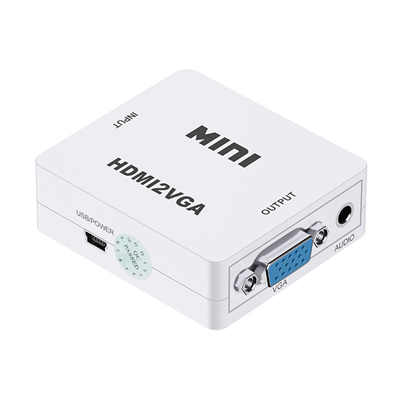
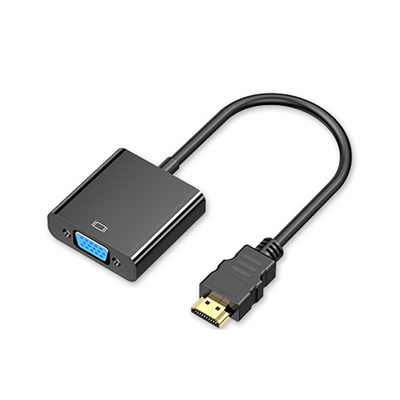
- You are on a tight budget. Many $6 HDMI-to-VGA cables work fine at 60Hz.
Avoid the super-cheap $2 dongles without a brand. Their DACs often have only 6-bit color depth (instead of 8-bit). That causes banding in gradients. Not a speed issue, but annoying.
Final Verdict
| Metric | DisplayPort to VGA | HDMI to VGA |
|---|---|---|
| Input lag | ~0.02 ms | ~0.03 ms (tie) |
| Max 1080p refresh | 85–120 Hz | 60 Hz (75 Hz unstable) |
| Needs external power? | No | Often yes |
| Average price | $15–25 | $6–12 |
Winner for speed (refresh rate): DisplayPort to VGA.
Winner for price: HDMI to VGA.
If you have a high-quality VGA monitor (especially a CRT), spend the extra $10 on a DisplayPort adapter. You’ll get a visibly smoother desktop and lower motion blur. For everyone else, the HDMI adapter is fine — just don’t expect more than 60Hz.
📖 Related Featured Articles

RCA vs. HDMI: Which has better quality for retro gaming?
RCA vs. HDMI for retro gaming: Can a cheap converter beat analog? We analyze signal latency, upscali...

Active vs. Passive HDMI Adapters: What’s the Difference? - WinFitin
Convert correctly. Learn why active HDMI adapters contain chipsets necessary for converting signals ...

HDMI to SDI Converters Why Broadcast Professionals Use Them
Discover why broadcast pros rely on HDMI to SDI converters for stable, long-signal-run productions....

How to Choose the Right HDMI Adapter for Your Device? - WinFitin
Select the correct HDMI adapter for your laptop, tablet, or console. Compare USB-C, DisplayPort, Min...