RCA to HDMI Adapter vs. Buying a New TV: The $20 Fix vs. The $500 Upgrade
The Nostalgia vs. Technology Gap
You just found the old box in the attic. Maybe it is a VHS tape of your wedding, a vintage Nintendo 64, or a Sony Camcorder from 2003. You rush to plug the red, white, and yellow cables into your brand new 4K OLED TV—only to realize there is nowhere to put them. Modern TVs have largely abandoned analog inputs to make room for more HDMI ports .
This leaves you with a choice. Do you spend a little money on an RCA to HDMI adapter, or do you bite the bullet and buy a new TV (assuming your current set is ancient or broken)?
While buying a new TV seems like the “clean” solution, it is expensive and, surprisingly, might not actually solve the root problem. Here is the hard data on latency, resolution, and cost to help you decide.
Why RCA and HDMI Don’t Want to Be Friends
First, we have to understand why this is difficult. RCA (Composite) cables carry analog signals. They were designed for the era of 480i resolution—that is standard definition.
HDMI carries digital signals and is built for 1080p or 4K. You cannot just splice a yellow RCA wire to an HDMI pin; it will not work. The electricity is fundamentally different .
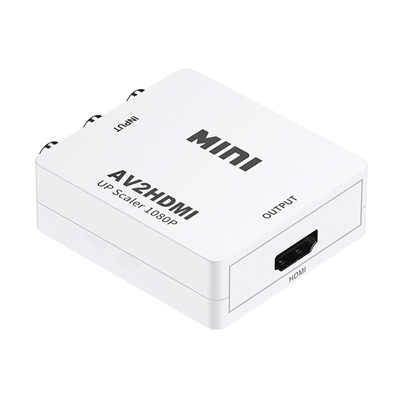
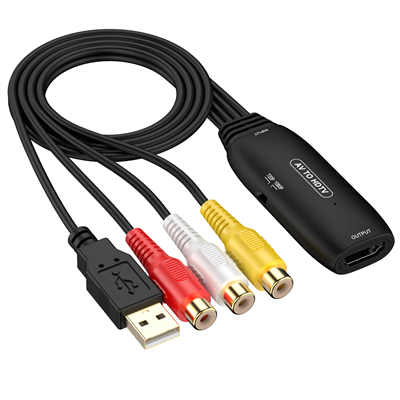
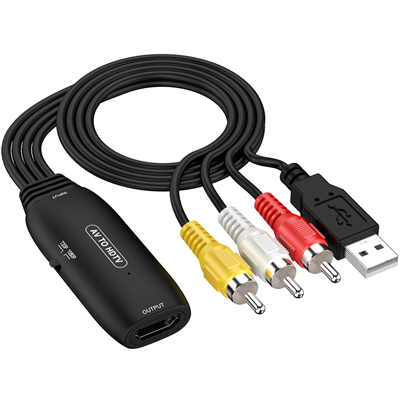
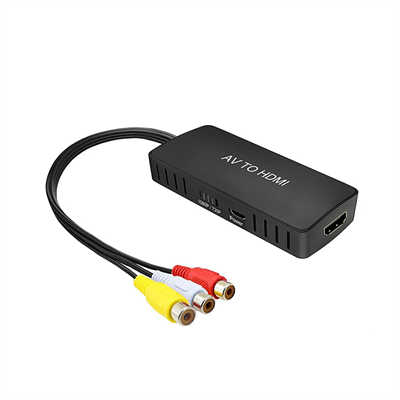
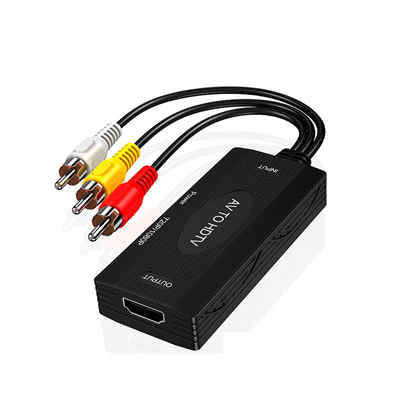
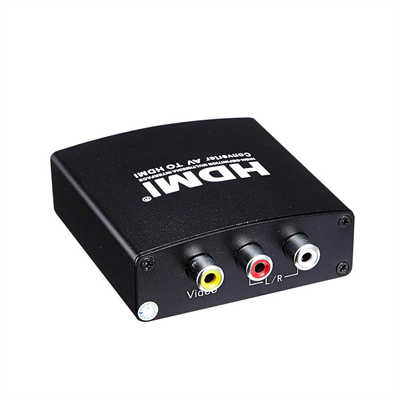
- The Adapter Solution: A small box that actively converts the analog signal to digital.
- The New TV Solution: A whole new display panel.
Here is the surprising twist: Many new TVs do not actually support true 480i analog signals anymore. Even if you buy a new TV that has a “Composite Input” (the yellow hole), the internal chip is often just a low-quality adapter built into the chassis. You are paying a premium for a chip that is functionally identical to a $15 external adapter .
Head to Head: The Technical Breakdown
To make the right choice, you need to ignore the marketing hype and look at the physics of the signal.
1. Video Quality: Can You Polish a Turd?
This is the most common misconception. People think that buying an expensive 4K TV will make their VHS tapes look like Blu-rays. It will not.
- The Reality: A VHS tape stores roughly 240 lines of resolution. A DVD is 480 lines. Your 4K TV has 2160 lines.
- The Adapter (Upscaling): A decent RCA to HDMI converter (like the Insignia or Monoprice models) takes that 240p signal and upscales it to 720p or 1080p. It cleans up the color artifacts and stabilizes the sync so the image doesn’t roll off the screen .
- The New TV: If you plug RCA directly into a new TV (if it has the jacks), the TV handles the upscaling. Most modern TVs have terrible upscalers for 480i content because they assume everything comes from an HDMI source. You will likely get a soft, muddy, grey image.
Verdict: A dedicated external adapter often provides better image processing for old games than a brand-new TV’s legacy ports .
2. The Latency Problem (Input Lag)
If you are gaming, this is the only stat that matters. Input lag is the delay between pressing a button and seeing the action on screen.
- The Adapter: Most standard adapters (in the $15–$30 range) introduce about 0.5 seconds (500ms) of latency. For a game like Super Mario Bros, this is unplayable. The jump happens half a second after you press the button .
- Pro Gamer Move: High-end adapters like the RetroTINK-4K (which costs $750) or the OSSC reduce lag to nearly zero, but at that price, you are no longer in “adapter” territory—you are in professional hardware territory .
- The New TV: Even the fastest OLED TVs have a processing delay of 10ms to 20ms in Game Mode. However, if your old console is pumping out 480i, the TV has to “deinterlace” the image. This process alone usually adds 30ms–60ms of lag, which is frustrating for rhythm games or shooters.
Verdict: For competitive retro gaming, a cheap adapter is a disaster. A new TV is better, but a CRT TV is best. For casual movie watching, the latency of an adapter is irrelevant .
3. The “Security Blanket” of a New TV
Why would someone buy a new TV instead of a $20 adapter?
- The Scenario: Your current TV is 12 years old. The screen is dim, the backlight is bleeding, and it draws 200 watts of power.
- The Logic: You are going to buy a new TV anyway. A 65” 4K TV draws about 80 watts, supports HDR, and streams Netflix instantly.
- The Logic Trap: If you buy a new TV specifically to play your Wii or VCR, you will be disappointed. You are buying a $500+ device to utilize a $20 port. It is more economical to buy the adapter now and save the TV upgrade for when your current panel actually dies.
The Cost Analysis: Dollars and Cents
Let’s look at the financial reality based on current market data.
| Solution | Price Range (USD) | Lifespan | Best Use Case |
|---|---|---|---|
| Basic RCA to HDMI Adapter | $15 - $30 | 3-5 Years | Watching home videos, playing a Wii on a spare monitor. |
| High-End Gaming Upscaler | $130 - $750 | 10+ Years | Professional retro gaming on modern 4K displays. |
| Budget 4K TV (43”) | $250 - $350 | 5-7 Years | Daily driver for streaming and modern consoles. |
| High-End OLED TV | $1,500+ | 7-10 Years | Cinema enthusiasts; terrible cost-per-use ratio for RCA. |
Key Takeaway: If your only complaint is “I can’t plug my old DVD player in,” the adapter saves you 95% of the cost of a new TV.
The Hidden “Gotchas” of RCA to HDMI
Before you buy a $9 adapter from a generic brand on a marketplace, be aware of the failure points.
1. HDCP and Signal Handshakes Sometimes, the handshake between the adapter and your TV fails. Users report that cheap units work for five minutes, then the screen tears or goes black . This is usually due to insufficient power (use the USB plug, not the TV’s USB port) or overheating.
2. Aspect Ratio Stretching Most cheap adapters stretch the old 4:3 image to fill your 16:9 screen. Everyone looks fat. You need an adapter that specifically allows you to toggle the aspect ratio or rely on your TV’s “original ratio” setting.
3. The Wii2HDMI Anomaly For the Nintendo Wii specifically, users have found that the tiny $15 “Wii2HDMI” dongles often work flawlessly because they pull a component signal (better than composite) directly from the console’s port . If you are using a Wii, get that specific adapter, not a generic RCA converter.
Conclusion: Which route should you take?
Buy the RCA to HDMI Adapter if:
- You have a modern TV (past 2015) but it lacks the Yellow/Red/White ports.
- You are just trying to watch old family videos or play casual games.
- You are on a budget (under $50).
- You want to connect the device to a computer monitor or projector .
Buy a New TV if:
- Your current TV is physically dying (lines on screen, takes 10 minutes to turn on).
- You want to upgrade your primary viewing experience for 4K movies and PS5/Xbox gaming.
- Your TV lacks RCA and you have no spare USB ports to power an adapter.
- You are buying a high-end RetroTINK unit (because those cost as much as a TV anyway).
The Final Verdict: For 99% of people with a VCR or a PlayStation 2, the $20 adapter is the hero. It bridges the technological gap without creating electronic waste. Save the money for a new TV for when your current one actually breaks, not just because it’s missing a few colored holes.
Frequently Asked Questions (FAQ)
Q: Do RCA to HDMI converters work on all TVs? A: Generally, yes. If the TV has an HDMI port, the converter will work. However, some old copy-protected VHS tapes might scramble the signal or appear black and white due to Macrovision protection, which the adapter cannot fix .
Q: Will an adapter make my VHS tapes look HD? A: No. You cannot create detail that isn’t there. An adapter cleans up the noise and stabilizes the image so it fits your screen without cutting off the edges, but it will still look like standard definition .
Q: Why is my audio not working with the adapter? A: You likely plugged the Red and White RCA cables into the wrong slots. The Red cable is for Right audio (RCA) and is easily confused with the Red cable for Component video (Pr). Ensure you are using the “Audio In” ports, specifically labeled for L/R .
Q: Is there lag when using these converters for gaming? A: Yes. Most sub-$50 converters introduce a noticeable delay (100ms-500ms) that ruins fast-twitch games like fighting or racing games. For RPGs or turn-based games, it is usually fine .
Q: Can I go the other way? (HDMI to RCA) A: That is a different device. While they look similar, HDMI to RCA converters are for putting modern devices onto old CRT TVs. They are not interchangeable with RCA to HDMI adapters.
📖 Related Featured Articles

How to Connect an Old Game Console to a New TV (AV to HDMI)
No HDMI? No problem. Learn how to connect your retro game console (NES, SNES, PS1, N64) to a modern ...

3.5mm to RCA Bluetooth Adapters: Which Delivers Superior Audio Quality?
Comparing 3.5mm to RCA cables and Bluetooth adapters for sound quality, latency, and fidelity. Real-...

RCA to 3.5mm Adapter: Which Configuration Do You Actually Need?
Not sure if you need a TS, TRS, or TRRS RCA to 3.5mm adapter? Learn the exact wiring schematics, imp...

RCA to XLR Adapter: Bridging Unbalanced & Balanced Noiseless
Learn how RCA to XLR adapters really work. Discover the 6dB gain difference, ground loop risks, and ...